Table of Contents
Screenshots
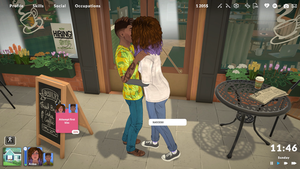
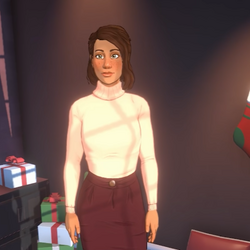
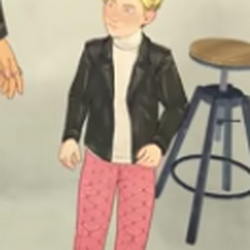
Check out these real Paralives screenshots showcasing the Paramaker's character creation capabilities, from unique Para designs to expressive personalities in action.
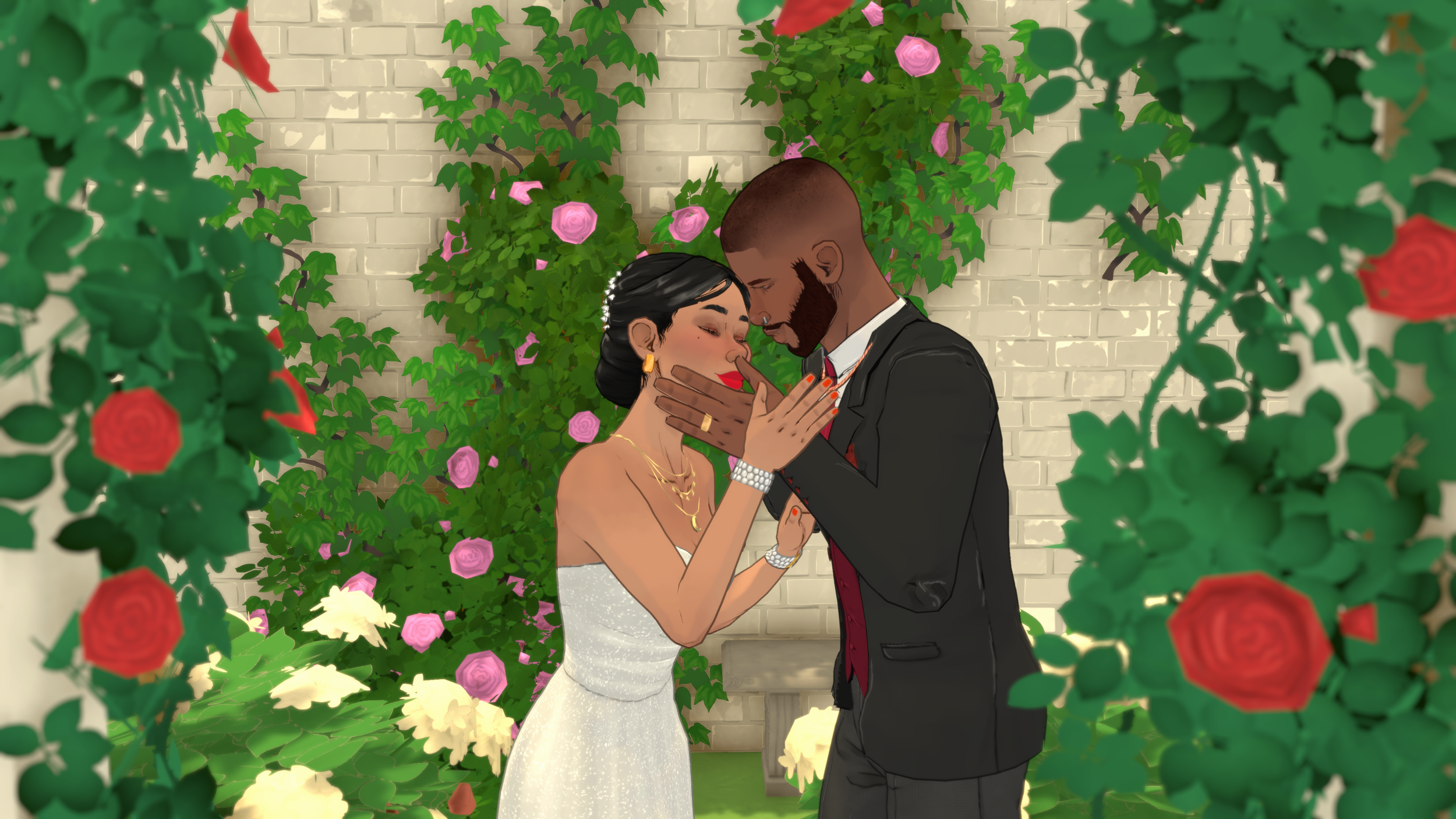
Paramaker Tutorial Video
Heads up: These screenshots are representative examples. For the real deal, check out official Paralives gameplay trailers in the Videos section on the homepage, or fire up your own game and start clicking around — nothing beats seeing the Paramaker in action yourself.
So... What Even IS the Paramaker?
The Paramaker (or just call it PAM like everyone else does) is Paralives' character creation system, and honestly? It's kind of insane how much control you get here. This isn't one of those "pick from 5 face shapes" deals — we're talking granular control over basically everything about your Parafolk.
You'll land in PAM the moment you start a new household. But here's something that tripped me up my first playthrough: you can come back to PAM during Live Mode to change outfits and makeup using mirrors or dressers. Cool, right? But — and this is important — you cannot change genetic stuff once you've finalized your Parafolk. Height, facial structure, skin color... that stuff is locked in. So don't rush through creation like I did on my first run and end up with a founder whose nose you secretly hate.
PAM's Greatest Hits
No gender-locked clothes · Full color wheel on literally everything · Personality sliders that actually matter · Genetics pass down to kids · 8 life stages · Body frames that don't care about gender
Body Customization: Where the Magic Happens
This is where PAM really shows off. If you've played other life sims before, prepare to have your mind slightly blown by how detailed this gets.
Slider-Based Features
Almost everything in the Body section runs off sliders. Click any part of your Parafolk in the 3D preview and boom — slider panel on the right. You can drag 'em, or type in exact numbers if you're the precise type (I'm not, but I respect it).
The big ones you'll be tweaking constantly:
- Height — Yep, height is genetic. Your tall Para can pass that down. Short king energy? Also an option.
- Facial features — Nose, chin, cheeks, eyes, eyebrows, lips, ears... there are SO many sliders here. I spent 45 minutes just on one character's nose once. No regrets.
- Body proportions — Chest, waist, hips, shoulders — all independent. Want broad shoulders and narrow hips? Go for it. The opposite? Also fine.
- Skin details — Freckles and other little details are actually genetic traits, which is adorable.
Pro tip: There are presets if you want to speed-run character creation. They're decent starting points, but honestly? Sliders are where you make a Parafolk that feels uniquely yours. Worth the extra 20 minutes.
Color Wheel System
PAM uses a full color wheel — not those sad little preset swatches other games give you. And here's the kicker: everything has 4 separate color zones:
- Skin color — Base, Highlights, Shadows, AND Blush. All independently colored. That's wild.
- Hair color — Base, roots, highlights, AND tips. Ombre hair? Easy. Neon tips? Done.
- Eye color — Iris, pupil, AND sclera (the white part). Yes, you can make creepy white-eyed Paras if that's your thing.
You can pick colors visually, grab presets, or punch in exact hex codes if you're trying to match a specific palette. Between the four zones per feature, you can make incredibly realistic characters OR absolute neon nightmares. Both are valid choices.
Gender-Inclusive Design (Finally)
Okay, this is one of my favorite things about PAM: body frames aren't gendered. There's no "male body" vs "female body" choice. Just one neutral frame you shape however you want. Which means any piece of clothing in the game works on any Parafolk. Dress your buff dude in a sundress. Put your petite Para in oversized streetwear. The game doesn't judge.
Genetic lock-in warning: Once your Parafolk exists, their genetics are set in stone. Changing hair color via the mirror later only changes what you see — it won't affect what they pass to kids. I learned this the hard way when my carefully planned "redhead family legacy" produced a kid with black hair because I'd changed the parents' appearance after creation. Check your genetics BEFORE you start popping out babies.
The Clothing System
Clothes in Paralives are completely gender-neutral, which is awesome. But there are still some rules:
- Layering: Some items stack — open jacket over a tee, that sort of thing. Both pieces need to be tagged compatible though.
- Life stage restrictions: Babies and toddlers have their own tiny wardrobes. Also, no high heels on child Paras. For obvious reasons.
- Modded clothing: Workshop mods need to encode their own layering compatibility. Always read the mod description before downloading — some custom outfits clip weirdly with base game items.
You recolor clothes with the same color wheel as skin and hair, so yeah, you can make that neon green suit you've always dreamed of.
Personality: Vibes, Talents & Stats
The personality system goes way deeper than "pick 3 traits and call it a day." Paralives gives you four layers of personality that actually impact gameplay. It's not just flavor text — your choices here will change how your Parafolk behaves, what they're good at, and how they click with others.
Stats
These are your baseline abilities — think of them as starting stats in an RPG. They influence how capable your Para is right out of the gate.
Vibes
Vibes are the "vibe" your Parafolk gives off. (Shocking, I know.) Basically, it's the first impression they make on everyone else. Think of it as their social aura. The cool part? Vibes upgrade over time during Live Mode, so your awkward teen can grow into a charismatic adult.
Talents
Talents = free XP multipliers for specific skills. Give someone the Art Talent? They level Painting way faster than average. Each Talent opens its own progression path too, and you can specialize further as they age. Big tip: you can't add new Talents after creation, only upgrade existing ones. So choose wisely!
Social Perks
Social perks determine how well your Para handles specific social situations. They affect which Together Cards show up during interactions and your success rate on relationship moves. Someone with "Good at Romance" is gonna have a WAY easier time flirting than my socially anxious artist Para who I forgot to give romance perks to. (Oops.)
Lifestyles
Lifestyles are the cherry on top — extra details about daily preferences and behaviors. Work habits, social tendencies, that kind of thing. Small touches that make your Parafolk feel like a real person with actual opinions.
Personality Cheat Sheet
Stats = starting abilities · Vibes = social aura / first impressions · Talents = skill XP boosters · Social perks = interaction success rates · Lifestyles = daily behavior quirks
Identity: Names, Age & Gender
Names
Each Para gets a first name, last name, and nickname. All three can be randomized with one click if you're feeling lazy. You can also flip name order — last name first for certain cultural setups, that kinda thing. Small detail but nice to have.
Age & Life Stages
You pick one of 8 life stages at creation. And yep, it's locked — no aging backwards without cheats. Here's the rundown:
| Life Stage | Approximate Age | Key Notes |
|---|---|---|
| Baby | 0–1 | No height sliders. Pure chaos management mode. |
| Toddler | 2–4 | Learning language and potty skills. Still no height sliders. |
| Child | 5–8 | First stage where Talents unlock! Growth spurts begin here. |
| Preteen | 9–12 | Growth spurts continue. You get a second personality point! |
| Teenager | 13–17 | Growth spurt ends. Full skill access finally opens up. |
| Young Adult | 18–39 | The sweet spot. Jobs, romance, family — everything's available. |
| Adult | 40–64 | Peak career years. Social life in full swing. |
| Elder | 65+ | Things slow down. Fun fact: there's no death-of-old-age mechanic yet, so your elders are immortal for now. |
Gender Settings
In Paralives, gender is totally separate from physical appearance. Set them independently:
- Physical body — Fully customizable via sliders, zero connection to gender settings.
- Gender marker — Three defaults: (F), (M), and (NB) for non-binary. There's also an advanced system for pregnancy-related settings if you want to dig into that.
How Genetics Actually Work
Genetics might be my favorite system in PAM, especially if you're into multi-generational gameplay like I am. It's surprisingly deep.
What Gets Passed Down
These traits are genetic and will carry to children:
- Height (limited to somewhere between both parents' heights)
- Facial features (each feature picks ONE parent's full slider set randomly — no weird blending)
- Skin color (within parent brightness range)
- Hair color (dominant/recessive gene system, like actual biology!)
- Eye color (also dominant/recessive)
- Hair texture (coily > curly > wavy > straight in dominance order)
- Skin details (freckles, moles, etc.)
What does NOT pass down: Stats, Vibes, Talents, Social Perks, Lifestyles — those are all learned/earned, not inherited. Nature vs nurture, baby.
Color Genetics: Dominant vs. Recessive
For color traits (skin, hair, eyes), Paralives uses a real dominant/recessive gene system. Traits can skip generations! So yeah, your Para could inherit grandma's bright green eyes even though neither parent has them visible. That's the recessive gene finally showing itself. Pretty cool, honestly.
Family planning pro tip: If you want kids who look a certain way, make both parents share similar features. Different dominant/recessive combos can surprise you — sometimes wonderfully, sometimes with a kid who looks nothing like either parent. Embrace the chaos or plan ahead, your call.
Slider-Based Genetics
Here's something clever: for slider-based features like facial structure, the game doesn't blend values between parents. Instead, it picks one parent's entire slider set for each feature at random (50/50 odds). So your kid might get Mom's nose and chin but Dad's eyes and cheeks. Keeps faces coherent instead of generating weird half-blended abominations.
Unnatural Colors
Want neon pink hair? Purple skin? Go for it — PAM lets you go wild. BUT: unnatural colors won't pass to children genetically. The game silently swaps them for random natural colors when generating offspring. And there's no way to preview what that replacement color will be. So if you're doing a rainbow-haired family legacy... good luck with that lol.
Picking Your Life Stage
The life stage you pick determines your starting point, and you're stuck with it unless you cheat. Here's my take:
- Start as Young Adult if you want maximum freedom immediately. Jobs, romance, all skills unlocked from day one. Best for players who don't want to wait around.
- Start as Child if you want the full experience. Growth spurts, personality point milestones, watching your Para develop over time. More rewarding long-term but slower to start.
- Start as Baby/Toddler if you're a masochist who loves micromanagement. Kidding... mostly. It's intense but you get the complete life cycle from day one.
When Do Personality Points Happen?
Not every life stage gives you points! Baby, Toddler, Young Adult, Adult, and Elder only get points at specific transitions. The REAL action happens at Child, Preteen, and Teenager stages — those are where you'll earn most of your personality points. Plan accordingly.
Stuff I Wish I Knew Before Creating My First Para
- Pick Talents early and commit. You can't add new Talents after creation — only upgrade existing ones. If you want a master painter, give them Art Talent at the start. Don't be like me and realize 15 hours in that I forgot to assign any talents.
- Check BOTH parents' genetics before having kids. Seriously. Look at every feature. Genetic traits are locked and you can't preview offspring. I ended up with a kid who somehow inherited the worst combination of both parents' noses.
- Use the color wheel, not presets. Presets are fine for a quick start, but manual adjustments create Paras that look like YOURS, not like everyone else's.
- Gender and body are independent. Don't limit yourself to traditional presentations. The whole point of PAM's system is freedom — use it.
- Name order matters more than you'd think. Switching to last-name-first makes characters feel more authentic for certain cultures or story vibes.
- Social Perks are underrated. If you care about romance, prioritize "Good at Romance." Career-focused? Look for work-related perks. These genuinely affect your success rates.
- Start young if you want growth spurts. Only Child, Preteen, and Teenager stages have them. Starting as Adult means you miss all that developmental goodness entirely.
Live Mode reminder: You CAN revisit the Paramaker in Live Mode via mirrors/dressers for outfit and makeup changes. But genetic appearance? Locked forever at creation. Your founding generation sets the genetic template for EVERY future generation. No pressure or anything...