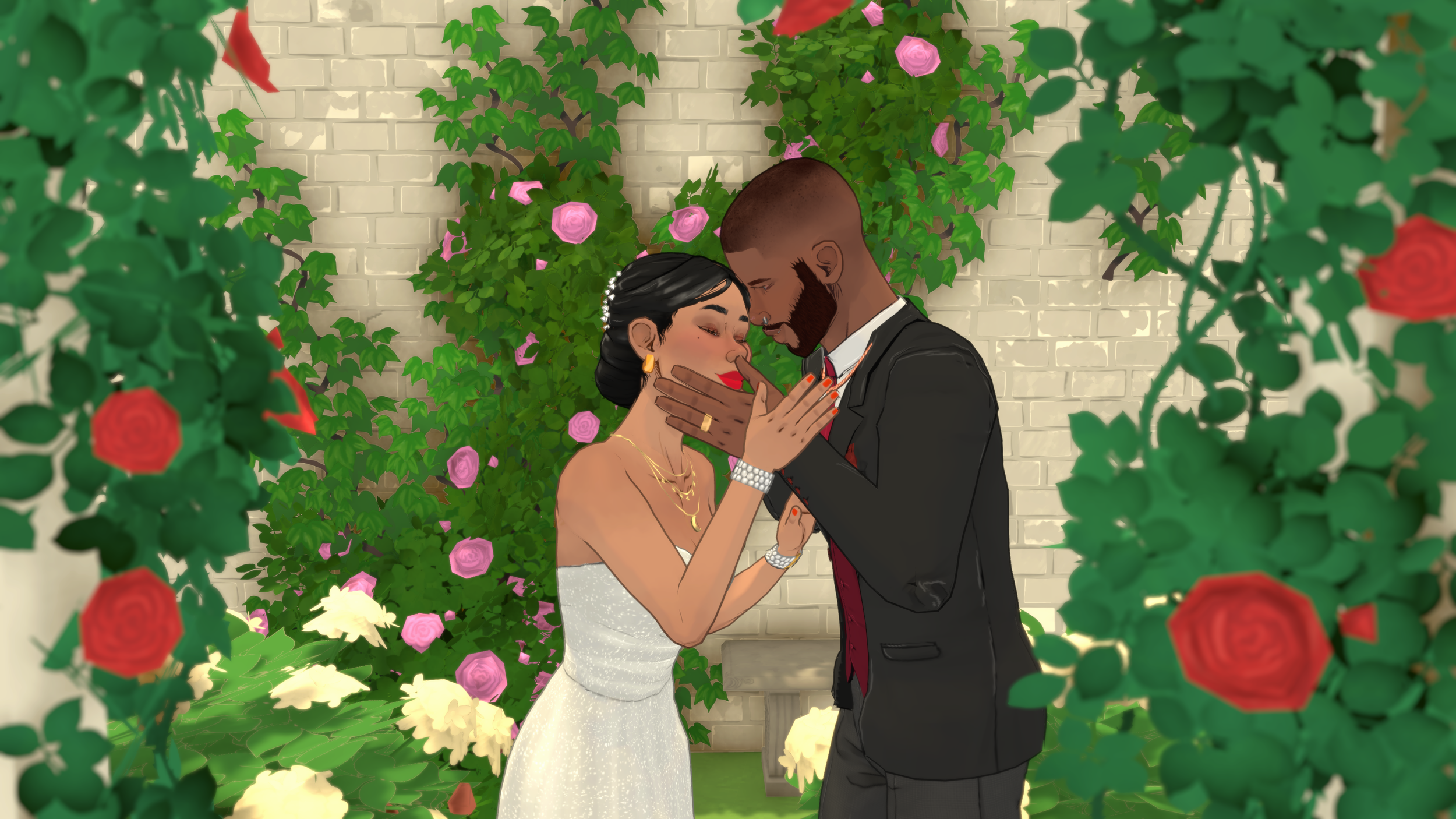
Paralives official hero key art — The world of Melino awaits
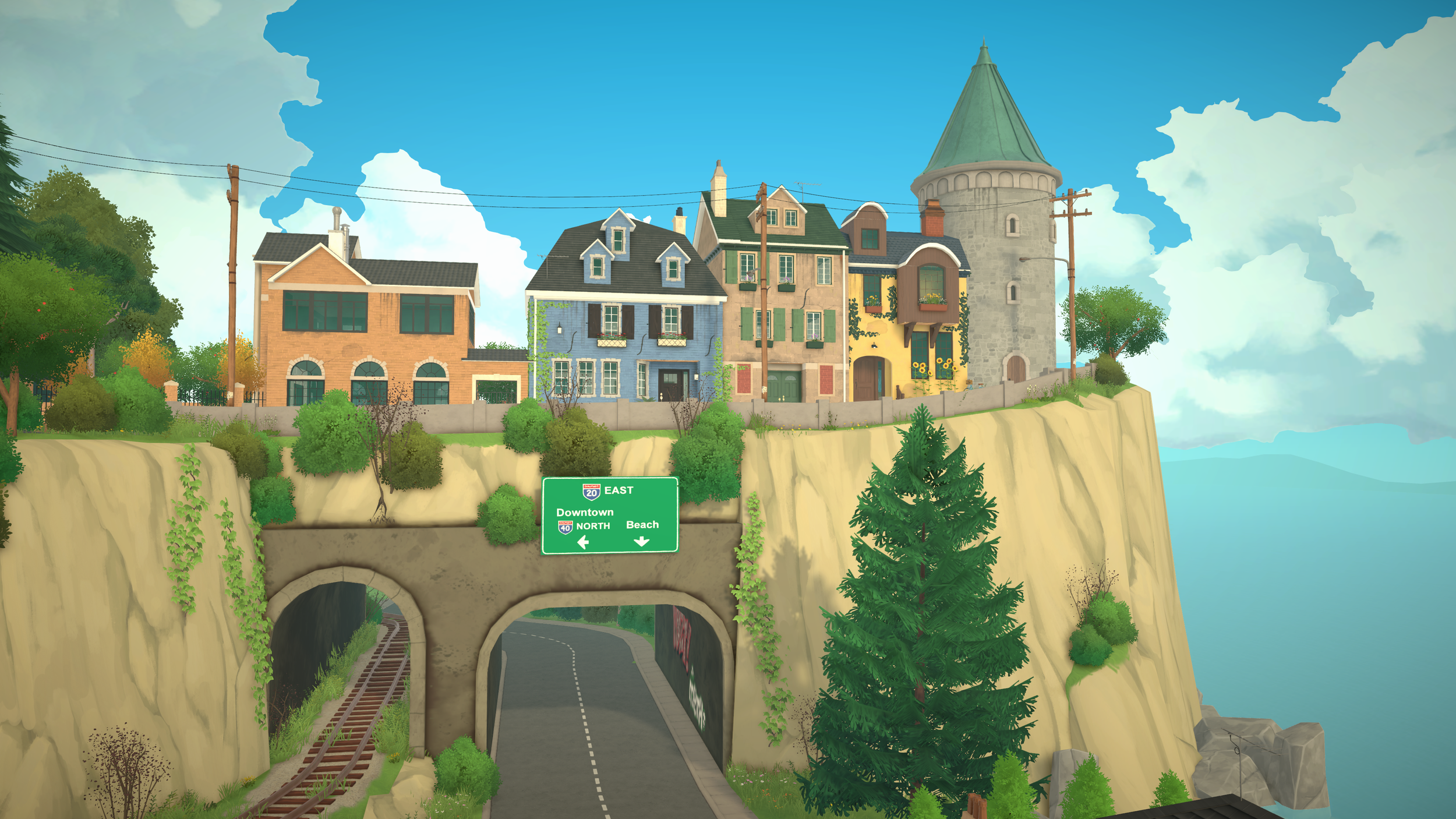
Live Mode gameplay — Needs, emotions, and daily life in action
Official trailer scene — Build Mode and Paramaker showcase
About Paralives — Open world town exploration and discovery
Getting Started
10 Questions
1
What is Paralives?
Paralives is an indie life simulation game developed by Paralives Studio, led by Alex Massé. Players create and control virtual people called Parafolk, build and design homes without grid restrictions, and guide their Parafolk through life experiences including careers, relationships, and personal growth in the open world town of Melino.
2
How much does Paralives cost?
Paralives is available on Steam Early Access for $39.99 USD (launch discount price may vary). The developers have committed to never selling paid DLC — all future updates including pets, seasons, vehicles, and more will be completely free.
3
Is Paralives multiplayer?
No, Paralives is a single-player game only. There is no online multiplayer or co-op mode. However, you can control multiple Parafolk in the same household simultaneously using the Multi-Select feature, and share creations via Steam Workshop.
4
What platforms is Paralives on?
Paralives is currently available on PC (Windows) and macOS via Steam. The minimum PC requirements are Intel Core i5 or AMD Ryzen 5 @ 2.5 GHz, 12 GB RAM, GTX 1060 or RX 6600 XT. For macOS, Apple M2 or newer is required.
5
Is Paralives like The Sims?
Paralives is a life simulation game similar to The Sims in concept, but with key differences: grid-less building with curved walls, a color wheel for full customization, no paid DLC ever, open world exploration without loading screens, Together Cards social system, and Storyteller difficulty modes. It offers more creative freedom in building but is in Early Access with fewer features than a fully released Sims game.
6
Does Paralives support Chinese?
Yes, Paralives supports Simplified Chinese (简体中文) along with English, French, Italian, German, Polish, Brazilian Portuguese, and Latin American Spanish for the interface.
7
Can I play Paralives on Mac?
Yes, Paralives supports macOS. You need macOS Big Sur 11 or newer with an Apple M2 chip minimum (M3 recommended), 12 GB RAM minimum (16 GB recommended).
8
How do I save my game in Paralives?
Paralives uses a manual save system. You can save your game at any time through the game menu. There is no auto-save feature, so it's important to save regularly, especially before major life events or building projects. Multiple save slots are available.
9
What is the Paralives EA roadmap?
The Early Access roadmap includes: 2026 — Weather & Seasons, Pets (dogs, cats, horses), Cars & Bicycles; 2026-2027 — Boats & Houseboats, Pools & Swimming, Gardening & Fishing; 2027-2028 — Family Tree Editor, NPC Life Progression, Advanced Roof Tools, Basement Tools, Lake & Pond Tools. All updates will be free.
10
Will Paralives have paid DLC?
No. Paralives Studio has firmly committed to never releasing paid DLC. All future content updates — including pets, seasons, vehicles, and new gameplay systems — will be completely free. This is funded through the game's initial purchase price and their Patreon community support.
Download & Installation
10 Questions
11
Where can I download Paralives?
Paralives is exclusively available on Steam. Visit the Steam Store page, add the game to your cart, complete the purchase, and it will be added to your library for immediate download. There is currently no Epic Games Store, GOG, or console version available.
12
My download is very slow or stuck. What should I do?
If your Steam download is slow or frozen: (1) Pause and resume the download in Steam. (2) Change download region — go to Steam Settings → Downloads → Download Region, pick a different server. (3) Restart Steam client completely. (4) Check if other downloads are using bandwidth. (5) If using WiFi, try a wired connection. Paralives is approximately 8-12 GB depending on platform.
13
I'm getting installation errors. How do I fix them?
Common installation fixes: Error code 0x80070005 (Access Denied) — Run Steam as Administrator. Disk write error — Verify integrity of game files (right-click Paralives → Properties → Installed Files → Verify). Missing DLL errors — Install Visual C++ Redistributable and DirectX from Steam's common redistributables folder. Not enough disk space — Ensure you have at least 25 GB free for installation + temp files.
14
Steam won't verify my game files. What now?
If Steam verification fails repeatedly: (1) Uninstall completely through Steam. (2) Manually delete any remaining files in the Paralives install directory (usually `C:\Program Files (x86)\Steam\steamapps\common\Paralives`). (3) Clear the Steam download cache (Settings → Downloads → Clear Download Cache). (4) Restart PC and reinstall fresh. This resolves most persistent verification issues.
15
How much disk space does Paralives need?
Paralives requires approximately 12-15 GB of storage for the base game installation. However, you should have at least 25 GB free to accommodate temporary files during installation, future updates, and save files. Save files themselves are relatively small (< 500 MB typically), but Workshop mods and custom content can significantly increase storage usage over time.
16
My antivirus is blocking Paralives installation. Help!
Some antivirus software may flag game executables as false positives. Solutions: (1) Add the Paralives installation folder and Steam folder to your antivirus exclusion list. (2) Temporarily disable real-time protection during installation (re-enable after). (3) Check quarantine/restored items and restore any quarantined Paralives files. Common culprits include Windows Defender SmartScreen and third-party suites like McAfee or Norton.
17
The game installed but won't launch. Why?
Post-installation launch issues: (1) Update graphics drivers to the latest version. (2) Verify game file integrity in Steam. (3) Run as Administrator. (4) Disable fullscreen optimizations (right-click exe → Properties → Compatibility → Disable fullscreen optimizations). (5) Check Windows Event Viewer for crash logs. (6) Ensure all Windows updates are installed, especially .NET Framework and Visual C++ runtimes.
18
Can I reinstall without losing my save files?
Yes! Before uninstalling, back up your save folder located at:
%APPDATA%\..\LocalLow\ParalivesStudio\Paralives\saves\ on Windows. Copy this entire folder to a safe location like Documents or an external drive. After reinstalling, place the saves back in the same location before launching the game. Your households, builds, and progress will be preserved.
19
Can I preload Paralives before release?
For major updates and the initial Early Access launch, Steam often enables preloading 24-48 hours before the unlock time. If preloading is enabled, you'll see a "Pre-load" button instead of "Install" on the store page. For smaller patch updates, preloading is generally not available — they download automatically when released.
20
Can I play Paralives offline after downloading?
Yes! Once downloaded and launched at least once while online, Paralives can be played in Steam Offline Mode. Go to Steam → Go Offline, then launch Paralives normally. Note that Steam Workshop mods require online access to download initially, and achievements may not sync until you reconnect. Cloud saves also only sync when online.
Performance & Optimization
10 Questions
21
My FPS is too low. How can I improve performance?
To boost FPS in Paralives: (1) Lower graphics quality from High/Ultra to Medium or Low in Settings. (2) Reduce resolution scale to 80-90%. (3) Disable shadows or set to Low. (4) Turn off anti-aliasing or use FXAA instead of MSAA/TAA. (5) Limit simultaneous Parafolk rendering distance. (6) Close background applications. (7) Update GPU drivers. (8) Enable DLSS/FSR if your GPU supports it. Most players see 30-50% FPS improvement with these settings.
22
The game stutters and lags frequently. What causes this?
Stuttering is usually caused by: (1) Insufficient RAM — close browser tabs and other apps. (2) HDD vs SSD — Paralives runs best on an NVMe SSD; HDDs cause texture streaming stutter. (3) Too many objects on lot — reduce clutter/furniture count. (4) Background processes — disable unnecessary startup apps. (5) Thermal throttling — check if your CPU/GPU is overheating. (6) V-Sync issues — try disabling V-Sync or enabling G-Sync/FreeSync.
23
Loading times are extremely long. Can I speed them up?
To reduce loading times: (1) Install on an SSD/NVMe — the single biggest factor. (2) Reduce Workshop mod count — each mod adds to load time. (3) Clear save file bloat — older/larger saves load slower. (4) Increase pagefile size on Windows (System Properties → Advanced → Virtual Memory). (5) Disable unnecessary overlays (Discord overlay, GeForce Experience, etc.). Initial loads can take 30-60 seconds depending on hardware and mod count.
24
Why is Paralives using so much memory (RAM)?
Paralives is a resource-intensive game that uses 8-16 GB RAM depending on settings and scene complexity. This is normal for a modern life sim with detailed character models, open world, and dynamic systems. If usage exceeds 16 GB consistently, consider: reducing graphics quality, removing heavy mods, limiting active household size, or upgrading to 32 GB RAM for the best experience with lots of mods.
25
What are the best graphics card settings for Paralives?
Recommended optimized settings: Resolution: Native or 1440p with DLSS Quality. Texture Quality: High (VRAM permitting). Shadows: Medium. Anti-Aliasing: TAA or FXAA. Reflections: Low/Medium. Lighting Quality: Medium. LOD Distance: Medium. Particle Effects: Low. Sim Quality: High (doesn't affect GPU much). These settings balance visual quality with performance for most mid-range GPUs (GTX 1660 / RX 5600 and above).
26
How do I lower graphics quality step by step?
In-game menu path: Main Menu → Settings → Graphics. Adjust these in order of impact: (1) Overall Quality Preset — dropdown from Ultra to High → Medium → Low. (2) Resolution Scale — slider from 100% down to 75%. (3) Individual toggles for Shadows, Reflections, Ambient Occlusion. Changes apply instantly so you can test each one. Use FPS counter (enable in Settings → Display) to measure impact.
27
My computer overheats when playing Paralives. What should I do?
Overheating solutions: (1) Clean dust from fans and heatsinks. (2) Ensure proper ventilation — don't block air vents. (3) Use a laptop cooling pad if on notebook. (4) Cap framerate in Settings → Display (60 FPS uses less power than uncapped). (5) Lower graphics settings reduces GPU/CPU load and heat. (6) Monitor temps with HWInfo or MSI Afterburner — if exceeding 90°C sustained, consider professional cleaning or thermal paste replacement.
28
Build Mode gets really laggy with complex builds. Any tips?
Build Mode performance tips: (1) Save frequently — large builds consume more resources. (2) Avoid placing hundreds of small decor items — group them. (3) Use simplified preview mode if available in options. (4) Curved walls and custom angles use slightly more processing than straight walls. (5) Limit simultaneous wall/floor changes — make changes in batches. (6) Consider finishing the build structure first, then decorating later to split the workload.
29
Does Paralives support DLSS or FSR upscaling?
Yes, Paralives supports both NVIDIA DLSS (for RTX 20-series and newer GPUs) and AMD FSR (for all modern GPUs). Find these in Settings → Graphics → Upscaling. Options typically include Quality, Balanced, and Performance modes. DLSS Quality mode offers the best image quality with minimal performance loss, often giving 30-40% FPS boost at 1440p or 4K resolution.
30
I'm playing on a laptop. How can I optimize for battery and heat?
Laptop-specific optimizations: (1) Always play plugged into power — most laptops throttle GPU when on battery. (2) Switch to "High Performance" power plan in Windows. (3) Set battery mode to "Best Performance" in your laptop manufacturer software (Lenovo Vantage, ASUS Armoury Crate, etc.). (4) Use a cooling pad. (5) Cap FPS at 60 to reduce constant maximum load. (6) Close all background apps especially browsers. Gaming laptops should target 1080p Medium settings for balanced experience.
System Requirements
8 Questions
31
What are the minimum system requirements for Paralives?
Minimum Requirements (Windows): OS: Windows 10 64-bit | CPU: Intel Core i5-6400 / AMD Ryzen 5 1600 @ 2.5 GHz | RAM: 12 GB DDR4 | GPU: NVIDIA GTX 1060 6GB / AMD RX 580 8GB | Storage: 15 GB SSD (HDD not recommended) | DirectX: Version 12. At minimum settings, expect 30 FPS at 1080p with reduced crowd sizes and simplified visuals.
32
What are the recommended system requirements?
Recommended Requirements: OS: Windows 10/11 64-bit | CPU: Intel Core i7-10700 / AMD Ryzen 7 3700X @ 3.6 GHz | RAM: 16 GB DDR4 (32 GB preferred) | GPU: NVIDIA RTX 3060 / AMD RX 6700 XT 8GB+ | Storage: 25 GB NVMe SSD | DirectX: Version 12. At High settings, expect 60+ FPS at 1080p or stable 30-45 FPS at 1440p with DLSS/FSR enabled.
33
Can my laptop run Paralives?
Most gaming laptops from 2020+ with dedicated GPUs can run Paralives. Look for: GTX 1650/1660 Ti minimum, ideally RTX 3050/3060 Laptop GPU. Integrated graphics (Intel UHD, AMD Radeon Vega/RDNA integrated) will struggle even at lowest settings — expect 15-25 FPS at best. Key laptop considerations: thermal throttling is common, always plug into AC power, and use a cooling pad. MacBook Pro M2/M3 can run the macOS version well.
34
Can I play with integrated graphics (no dedicated GPU)?
Not officially supported but technically possible with limitations. Modern integrated GPUs like Intel Iris Xe (Tiger Lake+) and AMD Radeon 780M (Ryzen 7040 series) can run Paralives at 720p Low settings with 20-30 FPS. Expect: long loading times, low-res textures, no shadows, frequent stuttering, and Build Mode being particularly challenging. A dedicated GPU is strongly recommended for a playable experience.
35
Do I need an SSD? Will an HDD work?
An SSD is strongly required for acceptable performance. While Paralives can technically install on an HDD, you'll experience: 2-3x longer loading times, frequent stuttering during gameplay (texture streaming), delayed UI responses, and potential crashes. An SATA SSD is the absolute minimum recommendation; an NVMe SSD provides the best experience. The game streams assets continuously due to its open-world nature.
36
How much RAM do I really need? Is 8 GB enough?
8 GB RAM is below minimum and will cause significant issues: frequent swapping to disk, stuttering, possible crashes. 12 GB is the functional minimum but expect occasional slowdowns. 16 GB is the sweet spot for comfortable gameplay at medium settings. 32 GB is ideal if you plan to use many Workshop mods, run Discord/streaming software alongside, or play at high resolutions. RAM is one of the cheapest upgrades and makes a huge difference.
37
How important is the CPU for Paralives?
The CPU is very important for Paralives because the game simulates many autonomous agents simultaneously (Parafolk AI, need calculations, relationship tracking, pathfinding). A strong single-core performance matters most. Recommended: 6+ cores, 3.0 GHz+ base clock. Weak CPUs become bottlenecks even with powerful GPUs, especially in crowded areas of Melino or large households. AMD Ryzen 5000+/Intel 12th gen+ are excellent choices.
38
What are the specific Mac requirements?
macOS Requirements: OS: macOS Big Sur 11.0 or newer | Chip: Apple M2 or newer (M1 may work unofficially but unsupported) | RAM: 12 GB unified memory (16 GB+ recommended) | Storage: 15 GB SSD space. Intel-based Macs are NOT supported — only Apple Silicon Macs. MacBook Air M2 can run at Low-Medium settings (~30 FPS). MacBook Pro M2/M3 or Mac Mini M2 runs comfortably at High settings (45-60 FPS). External displays supported.
Paramaker & Character Creation
15 Questions
39
How do I create a character in Paralives?
Open the Paramaker from the main menu. You'll customize your Parafolk through several tabs: Body (sliders for height, face shape, body proportions), Appearance (skin, hair, eye color using the full color wheel with 4 zones: base, highlight, shadow, blush), Clothing (gender-neutral wardrobe — any outfit can be worn by any Parafolk), Personality (Stats, Vibe, Talent, Social, Lifestyles traits), and Advanced Personality (pronouns, pregnancy capabilities, jealousy settings).
40
Can you customize height in Paralives?
Yes! Paralives features a height slider that lets you precisely adjust your Parafolk's height. This is a unique feature not found in most life sim games. Height is also hereditary — children will inherit a height range based on their parents' heights through the genetics system.
41
How does the color wheel work in Paralives?
The color wheel in Paralives provides full RGB color customization for skin, hair, eyes, clothing, and build mode objects. Each color has 4 independent zones you can adjust: Base Color (the main shade), Highlight (lighter areas catching light), Shadow (darker areas in shade), and Blush (warm tones, especially for skin). This gives you precise control over every color in the game.
42
Are clothes gender-locked in Paralives?
No! Paralives has a completely gender-neutral clothing system. Every piece of clothing can be worn by any Parafolk regardless of their body type or pronouns. There are no restrictions on who can wear what.
43
What are personality traits in Paralives?
Paralives has 112 personality traits across 6 categories: Stats (7 point-buy points across Physique, Mind, Creativity, Charisma), Vibe (emotional tendencies like Happy-Go-Lucky or Gloomy), Talent (skill affinities like Music, Fitness, Art), Social (relationship styles like Good at Romantic Relationships), Lifestyles (daily habits like Early Bird, Night Owl, Neat, Sloppy, Vegetarian), and Advanced Personality (pronouns, pregnancy, jealousy). Traits evolve through gameplay into deeper sub-traits.
44
How do personality traits evolve in Paralives?
Personality traits are not fixed at creation. Vibe and Talent traits selected in the Paramaker can branch into one of two child traits once certain gameplay conditions are met. For example, "Happy-Go-Lucky" can evolve into either "Radiating Joy" or "Always Mecontent." Child traits can then further evolve into advanced specializations, making your Parafolk's personality deepen over time.
45
Can I make my Parafolk pregnant?
Pregnancy capabilities are set in the Advanced Personality section of the Paramaker. You can choose: "Can get pregnant," "Can get others pregnant," or "Neither." This is independent of the Parafolk's appearance or pronouns, giving full flexibility for diverse storytelling.
46
What are Vibes in Paralives?
Vibes are the emotional temperament personality category. They determine how your Parafolk experiences and recovers from emotions. Options include Overjoyed, Grumpy, Gloomy, Energetic, Serious, Sensitive, Peaceful, and Jester. Each Vibe evolves into two possible child traits — for example, Energetic branches into "Bouncing Around" or "Quick Talker."
47
How many life stages are in Paralives?
Paralives has 8 life stages: Baby (0-1), Toddler (2-4), Child (5-8), Pre-Teen (9-12), Teen (13-17), Young Adult (18-39), Adult (40-64), and Elder (65+). Each stage has configurable duration — Short (0.5x), Normal (1x), or Long (4x). Personality categories unlock progressively: Stats at Toddler, Talent at Child, Vibe at Pre-Teen, Social and Lifestyles at Teen.
48
Can I change my Parafolk's appearance after creation?
Yes, you can modify your Parafolk's appearance after creation. Access the mirror/dresser object in live mode or re-enter Paramaker from the main menu to change hairstyles, clothing, makeup, accessories, and some facial features. However, core personality traits, height, and body proportions set at creation evolve through gameplay rather than being directly editable.
49
How do I create realistic-looking faces in Paramaker?
Tips for realistic face creation: (1) Use reference photos of real people. (2) Start with face shape sliders — jawline, cheekbones, brow ridge define realism. (3) Don't max out any slider — subtle adjustments look more natural. (4) Use the asymmetry tools slightly — perfectly symmetrical faces look uncanny. (5) Pay attention to skin detail zones — add slight imperfections, freckles, or uneven skin tone via the 4-zone color wheel. (6) Eyes are key — adjust iris size, eye spacing, and eyelid shape carefully.
50
How detailed is body customization in Paramaker?
Paramaker offers extensive body customization: Height (full slider range), weight/build (from slim to heavyset with separate torso/arm/leg controls), muscle definition, shoulder width, hip width, waist definition, arm/leg length, neck length/thickness, chest size (independent of gender), and posture. Body types affect clothing fit naturally — clothes drape differently based on your Parafolk's unique proportions.
51
What hairstyle options are available in Paramaker?
Paramaker includes 50+ base hairstyles at Early Access launch, each fully customizable: Length adjustment, volume/body, curl/wave amount, part position, bangs/fringe style, accessories (hair clips, headbands, hats), and of course the full 4-zone color wheel per hair section (roots, mid-lengths, ends, highlights). Hair physics animate naturally in live mode. More hairstyles are added in free updates.
52
Can I save and share Paramaker presets?
Yes! You can export Parafolk presets as shareable files from Paramaker. Share them via Steam Workshop, Discord, or direct file transfer. Other players can import your preset into their game. Presets include all appearance data, personality configuration, and clothing choices. This makes it easy to recreate celebrities, fictional characters, or share your original designs with the community.
53
What makeup and accessory options exist in Paramaker?
Paramaker's beauty options include: Foundation/makeup base (with 4-zone color wheel), blush, eyeshadow (multiple colors/patterns), eyeliner, mascara, lipstick/gloss, eyebrow shaping/color, face paint, body markings/tattoos, glasses, earrings, necklaces, rings, wrist accessories, hats/headwear, and piercings. All customizable with the color wheel. Accessories are not gender-restricted.
Build Mode
20 Questions
54
How do I build a house in Paralives?
Enter Build Mode from live mode. You can place walls of any length and at any angle — there's no grid restriction. Use the wall tool to draw rooms freely, add curved walls with the curve tool, place split-level floors, and fill with furniture. Every object can be resized by dragging corner anchors, and every surface can be recolored with the color wheel. Use the measuring tape tool to match real-world dimensions.
55
Can you build curved walls in Paralives?
Yes! Curved walls are one of Paralives' signature features. Use the curved wall tool in Build Mode to create rounded rooms, circular towers, bay windows, and organic architecture. You control the curve radius and arc angle precisely. Curved walls work with the same color wheel and texture system as straight walls, and furniture can be placed freely alongside them.
56
How does the grid-less building work?
Paralives has no building grid. Walls can be placed at any angle and any length. Furniture and objects can be rotated and positioned freely anywhere on the lot. You can overlap objects, stack items, and place things at any elevation. This gives you complete creative freedom compared to grid-based building in other life sim games. Snap-to-angle guides help keep things aligned when desired.
57
Can I resize furniture in Paralives?
Yes! Select any furniture piece and drag its corner anchors to resize it. You can make windows larger, turn a single bed into a king bed, expand dining tables, stretch sofas, and adjust virtually any object in all three dimensions (width, depth, height). The resized furniture remains functional — a resized bed still works for sleeping, just with different capacity based on size.
58
What are split levels in Paralives?
Split levels let you create different floor heights within the same story. You can build sunken living rooms, raised platforms, half-walls, multi-level interiors, and stepped designs without needing a full second floor. Use the floor tool to raise or lower sections by any increment. Stairs can connect split-level sections. This adds architectural depth and creative possibilities to your builds.
59
How do I use the color wheel in Build Mode?
In Build Mode, select any object, wall, floor, or surface and open the color wheel. Like the Paramaker color wheel, it has 4 zones: Base, Highlight, Shadow, and Blush. You can pick any color from the full spectrum, enter exact hex codes for precise matching, and save custom color palettes for consistency across your build. Apply colors to individual surfaces on multi-surface objects.
60
Can I build a house from a real floor plan?
Yes! Paralives includes a measuring tape tool that uses real-world measurements (meters/feet/inches). You can look up your real home's dimensions online and recreate them exactly in-game. Place walls to match real room sizes down to the centimeter, position furniture where it actually sits, and build a virtual replica of any real house. Import reference images to trace over directly in Build Mode.
61
How do I edit terrain in Paralives?
Use the terrain editing tools in Build Mode to raise or lower ground, create hills, valleys, slopes, and plateaus. Tools include: Terrain Raise/Lower (brush-based sculpting), Smooth, Flatten, Slope (create consistent inclines), and Paint Terrain (apply grass, dirt, sand, rock textures). This lets you build homes on hillsides, create terraced gardens, design water-retaining landscapes, and shape your lot's outdoor environment.
62
Can I share my builds on Steam Workshop?
Yes! Any house or lot you build can be uploaded to Steam Workshop directly from within Build Mode. Click the Share button, add a description and tags, and publish. Other players can browse, subscribe, and download your builds into their own game with one click. You can also download community builds from the Workshop to explore or modify. Popular builds get featured in the Workshop's curated collections.
63
How do I place stairs and roofs in Paralives?
Stairs and roofs are placed in Build Mode with the same grid-less freedom as other elements. Stairs can connect split levels or full floors, come in multiple styles (straight, L-shaped, spiral, floating), and can be customized with materials/colors. Roofs can be shaped and angled freely with manual vertex placement. Advanced roof tools (auto-roof, dormers, gutters) are planned for a future Early Access update.
64
Can I rotate objects to any angle in Build Mode?
Absolutely! Every object in Build Mode can be rotated to any degree — not just 45° or 90° increments. Hold the rotation handle and spin freely, or enter a precise angle value. Place diagonal furniture, angle paintings on walls, create radial room layouts, or tilt objects for artistic effect. Combined with the grid-less placement, this enables truly unconventional architectural designs impossible in other life sims.
65
How does the measuring tape tool work in detail?
The measuring tape tool (hotkey: M) allows precise measurement in real-world units. Features: (1) Measure distances between any two points. (2) Display dimensions in meters, feet, inches, or centimeters (configurable). (3) Show room area calculations automatically. (4) Create guidelines that persist while building. (5) Snap to existing geometry for accurate alignment. Essential for recreating real buildings or designing to exact specifications.
66
How do foundations and basements work in Paralives?
Foundations can be added under any build to raise the entire structure off the ground. Adjust foundation height freely. Basements are created by lowering terrain beneath your build and adding walls/floors underground. You can have multi-level basements. Foundation and basement tools allow for raised entryways, garages built into slopes, wine cellars, secret rooms, and complex multi-elevation architecture. Advanced basement tools are coming in a future update.
67
How much can I customize windows and doors?
Windows and doors are highly customizable: Resize any window/door to any dimension (make a tiny porthole or a floor-to-ceiling glass wall). Frame style and material options. Glass tint/transparency adjustable. Color wheel for frame, glass, and hardware separately. Arch windows, bay windows, sliding doors, french doors, barn doors, pocket doors — many styles available. Curtains and blinds attach to windows independently.
68
Can I build swimming pools and water features?
Pools and swimming mechanics are planned for the 2026-2027 update cycle. Currently, you can create decorative water features using the terrain paint tool and pond/lake tools (if available in your version) for aesthetic purposes. Pool building with actual swimming interactions, diving boards, pool furniture, and water physics will arrive in a dedicated free update. Follow the official roadmap for the exact timing.
69
How many stories/floors can my building have?
There is no hard limit on the number of floors/stories in Paralives Build Mode. You can build as high as your creativity (and patience) allows. Players have successfully built structures with 10+ stories including skyscrapers, apartment complexes, and towers. Each floor can have its own split-level variations. Keep in mind that extremely tall buildings may impact performance — optimize by keeping upper floors simpler if needed.
70
What outdoor and landscaping tools are available?
Outdoor tools include: Terrain sculpting (raise, lower, smooth, flatten), Terrain painting (grass, dirt, sand, gravel, rock, snow textures), Plant placement (trees, bushes, flowers, cacti — all resizable), Fencing (any shape, any height, various styles), Path/pavement tools (freeform walkways), Outdoor lighting, Patio/deck builder, Outdoor furniture (grills, lounge sets, playground equipment), and Decorative rocks/features.
71
Does Build Mode have copy/paste, undo, and redo?
Yes! Build Mode includes comprehensive editing tools: Undo/Redo (Ctrl+Z / Ctrl+Y) with deep history (100+ actions). Copy/Paste (Ctrl+C / Ctrl+V) for individual objects or selected groups. Duplicate (Ctrl+D) creates copies with offset. Select Multiple (Shift+click or drag selection box) to move/edit groups together. Group/Ungroup (Ctrl+G) to treat multiple objects as one unit. Delete (Delete key or Backspace). These tools make building efficient and forgiving of mistakes.
72
Can I change lighting/time of day in Build Mode?
Yes! In Build Mode you can adjust the time of day lighting to preview how your build looks at sunrise, noon, sunset, and night. Toggle between day/night modes to test interior and exterior lighting. Place light fixtures and see real-time illumination. Adjust ambient light intensity and shadow quality for screenshots. This helps you design spaces that look beautiful at all times and properly light interiors for your Parafolk.
73
Can I customize wall heights?
Yes! Wall height is fully adjustable in Paralives. You can create low walls (half-height railings), standard walls (default ~2.8m/9ft), tall walls (grand ceilings for mansions), or any custom height between. Different wall heights can coexist in the same room for dramatic effect — imagine a sunken living area with low walls opening into a double-height great room. Wall height affects where you can place objects vertically.
Live Mode & Gameplay
15 Questions
74
How do I control my Parafolk in Paralives?
Click on a Parafolk to select them, then click on objects, locations, or other Parafolk to queue actions. You can also use the Multi-Select feature (hold Shift + click) to control multiple Parafolk simultaneously — have them eat together, go to work, or socialize as a group. Autonomy can be toggled on or off per Parafolk. Right-click for context menus with additional options.
75
What are needs in Paralives?
Parafolk have 12 needs that deplete over time: 4 survival-critical (Hunger, Sleep, Bathroom, Hygiene) and 8 secondary (Fun, Affection, Me Time, Grump, Energy Surplus, Peace, Need to Move, Get Away From the Fire). Needs have warning and critical thresholds — once a need enters the warning zone, it depletes faster, creating urgency. Hunger and Sleep can cause death if neglected to zero.
76
Can Parafolk die in Paralives?
Yes, Parafolk can die. Death can occur from: Starvation (Hunger reaches 0), Exhaustion (Sleep reaches 0), Fire (the "Get Away From the Fire" need triggers during fires — failure means death), and Old Age when Elders reach the end of their lifespan. The Storyteller setting affects how quickly needs deplete and how deadly the game feels. Dead Parafolk become ghosts that can interact with the living.
77
How does the emotion system work?
Parafolk experience 11 emotions: Happy, Sad, Stressed, Angry, Bored, Inspired, Disgusted, Embarrassed, Amused, Flirty, and Uncomfortable. Emotions are driven by the Vibe personality trait, needs status, social interactions, and environmental conditions. Emotions affect autonomy decisions, available social interactions, and skill learning speed (Inspired gives an XP bonus). Emotions can combine to create moodlets.
78
What are Storytellers in Paralives?
Storytellers are difficulty directors that shape the tone of your game. There are 3 options: Stella (relaxed — slower need decay, more positive events, forgiving gameplay), Maxence (balanced — standard need decay, mixed events, the intended experience), and Ricardo Castello III (challenging — faster need decay, more negative events, harsher consequences). You choose your Storyteller when starting a new save and can change it later in settings.
79
What are Story Cards in Paralives?
Story Cards are narrative events you receive at the end of each in-game day. They summarize what happened (who met whom, skills gained, milestones reached, drama occurred) and can trigger special story moments or choices. Story Cards are influenced by your Parafolk's personality, relationships, recent activities, and current emotional state. They serve as both a recap diary and a planning tool for the next day.
80
How do I explore Melino?
Melino is an open world town with no loading screens. Simply direct your Parafolk to walk anywhere, or use the bus system for fast travel between stops. You can visit shops, parks, restaurants, the museum, workplaces, libraries, gyms, cafes, community centers, and other Parafolk's homes freely. The town has 4 distinct districts: Old Town (historic charm), Industrial (warehouses, converted lofts), Mountain (scenic views, hiking trails), and Countryside (farms, spacious lots).
81
Can I control multiple Parafolk at once?
Yes! The Multi-Select feature lets you select and control multiple Parafolk simultaneously. Hold Shift and click each Parafolk, or drag a selection box around them. Selected Parafolk can be directed to: eat together at the same table, travel to the same location, perform group activities (watch TV together, dance), or socialize as a household. Each Parafolk still maintains individual autonomy settings. This makes managing families of 4+ much easier.
82
How does the autonomy system work?
Each Parafolk has an autonomy toggle accessible from their portrait panel. When autonomy is ON, they will: independently fulfill low needs, pursue hobbies aligned with personality traits, respond emotionally to events, seek social interaction if lonely, and make decisions based on their Vibe trait. When autonomy is OFF, they stand idle until you command them. You can set autonomy per individual Parafolk — useful for micromanaging some while letting others roam free.
83
How do bills work in Paralives?
Your household receives regular bills (every Monday in-game) based on the total value of your lot, house, and possessions. Bills must be paid from your household funds (called Paradimes). If bills go unpaid for too long, services may be shut off — power outages prevent using electronics, and water shutoffs affect hygiene/cooking. Severely overdue bills can result in repo actions. Use the CLEARBILLS cheat if you want sandbox mode without bills.
84
What time speed options are available?
Paralives offers 3 time speeds plus pause: Pause (Space bar or 1 key) — freezes everything for planning. Normal (2 key) — standard pace, 1 real second ≈ 1 in-game minute. Fast (3 key) — 3x speed for routine tasks. Ultra Fast (4 key) — 10x speed for sleep/work/school waiting. Time continues passing even when you're in Build Mode or menus. The in-game clock shows day and time in the top-right corner of the UI.
85
How do camera controls work in Live Mode?
Camera controls: Right-click + drag to rotate camera around focus point. Scroll wheel to zoom in/out. Middle-click + drag to pan camera. WASD keys also move camera. View modes: Walls Up (default), Walls Down (see inside clearly), Rooftop View (top-down), First Person (experience as your Parafolk), and Cinematic Camera (automatic dramatic angles). Press Home key to snap camera to selected Parafolk.
86
How do I manage my household and move houses?
Manage your household via the Household Panel (top-left UI): View all household members, select individuals, track their locations. To move: Use the phone or computer to "Move Household", browse available lots/houses in Melino (empty lots, pre-built homes, or community builds from Workshop), sell your current home (receives funds based on lot value), and relocate everyone. You can also evict individual Parafolk or merge households through marriage or roommate agreements.
87
Do Parafolk have inventories/personal belongings?
Each Parafolk has a personal inventory accessible from their panel. They can carry: Phone (always equipped), keys (to home and workplace), gifts received, collected items (rocks, insects, postcards), books, prepared food (limited), and special quest items. Some inventory items are usable anywhere (phone calls, reading books), while others must be placed in the world (food, gifts). Inventory space is unlimited for practical purposes.
88
How does weather work in Paralives?
Weather & Seasons is a major upcoming feature (roadmap: 2026). When implemented, expect: dynamic weather (rain, snow, thunderstorms, clear skies, fog, wind), four seasons (Spring, Summer, Fall, Winter) affecting available activities and visual atmosphere, temperature system impacting Parafolk comfort and clothing choices, seasonal holidays/events, and weather-responsive animations (umbrellas, puddle splashing, breath vapor in cold). Until then, the default climate is temperate with ambient lighting changes throughout the day.
Skills & Careers
12 Questions
89
How many skills are in Paralives?
Paralives has 23 learnable skills divided into two categories: 8 Knowledge domains (Music, Food, Fitness, Technology, Art, Science, Early Life, and more) and 15 Practical activities (Guitar, Piano, Triangle, Cooking, Exercise, Dance, Graphic Design, Programming, Painting, Astronomy, Biology, Surgery, Language, Potty). Each skill has 10 levels (0-9). Each Parafolk can learn any combination of skills — there are no restrictions.
90
How do I level up skills fast?
To level skills efficiently: (1) Perform skill-related activities consistently — practice guitar raises Guitar skill, cook meals raises Cooking. (2) Stay Inspired — the Inspired emotion grants a learning speed bonus across ALL skills (+~25%). (3) Choose matching Talent traits — a Music Talent Parafolk learns instrument skills 30% faster. (4) Use career perks — some career perks boost skill XP in related domains. (5) Avoid negative emotions — Stressed/Angry slow skill gain by 20-30%. (6) Skill books from the library provide passive XP when read.
91
What are the best careers in Paralives?
The highest-paying career is CEO at ClickWork Industries at $2,100/day. Other top earners: Chief Technology Officer ($1,850/day), Senior Surgeon ($1,720/day), Film Director ($1,600/day), Professional Athlete ($1,450/day). However, "best" depends on goals — Art careers let you sell paintings, Culinary gives cooking benefits, Entertainment unlocks unique social interactions, Education has flexible hours. Pay formula: Base + Rank Bonus + Skill Bonus + Emotion Modifier.
92
How does career pay work in detail?
Each paycheck is calculated as: Base Pay + Rank Bonus + Skill Expertise Bonus + Emotion Modifier. Skill Expertise = $15/day per relevant skill level. Combo Bonus = +$15/day when multiple required skills are leveled. Emotion modifier: positive emotions (Happy, Inspired, Flirty) add up to +30%; negative emotions (Angry, Stressed, Sad) reduce by up to -30%. Work performance also accumulates over time, granting periodic raises and promotion opportunities.
93
How do I get a job in Paralives?
Use the computer or phone in your Parafolk's home → Careers → Browse Jobs. Or visit workplaces in Melino directly and "Apply Here." Filter jobs by domain, pay range, or required skills. Some jobs require minimum skill levels or specific personality traits. Choose your work schedule — some jobs offer flexible hours or part-time options. Once hired, your Parafolk will automatically go to work on scheduled days (or you can send them manually).
94
Can I change careers in Paralives?
Yes, quit anytime via Phone → Career → Quit Job. Career perks from previous jobs are permanently retained — they're passive bonuses that stay with your Parafolk forever. This makes career-hopping a valid strategy: start in Service for customer service perks, switch to Art for creativity bonuses, then move to Business for income boosts. Each job's perk is unique and stacks. No penalty for quitting except lost seniority/rank in that specific career track.
95
What are career perks? Give examples.
Career perks are permanent passive abilities unlocked at certain job ranks. Examples: Culinary (Chef rank) → "Never Burns Food" — cooking success rate +50%. Medical (Doctor rank) → "Healing Touch" — can cure sick household members. Technology (Programmer rank) → "Debug Mind" — faster skill learning for logic skills. Art (Painter rank) → "Golden Brush" — paintings sell for 2x price. Education (Teacher rank) → "Mentor" — children in household learn skills faster. Perks encourage trying multiple careers.
96
How many total jobs are there in Paralives?
Paralives has 126 jobs across 22 companies and 11 career domains: Art (Gallery Assistant → Art Director), Business (Intern → CEO), Culinary (Dishwasher → Head Chef), Education (Teacher's Aide → Principal), Entertainment (Extra → Movie Star), Medical (Orderly → Chief Surgeon), Politics (Volunteer → Mayor), Science (Lab Tech → Lead Researcher), Service (Cashier → Store Manager), Sports (Amateur → Pro Athlete), Technology (Help Desk → CTO). Each career has 5-10 ranks with increasing pay and new perks at milestones.
97
Are there part-time jobs or side hustles?
Yes! Part-time options include: Bartending (evenings only, good for social Parafolk), Freelance Design (work from home, flexible hours), Tutoring (after-school sessions), Gig Economy (delivery tasks, ride-share equivalents), Content Creator (record videos at home for ad revenue). Side hustles: Sell paintings (Art skill), Write books (Writing skill), Grow and sell produce (when gardening releases), Flipping furniture (buy used, refurbish in Build Mode, resell). Perfect for students or creative Parafolk.
98
How do promotions work? What are the requirements?
Promotion requirements vary by job but typically include: (1) Skill level thresholds — e.g., Level 5 Cooking to promote to Sous Chef. (2) Work performance meter — maintain good performance over several work days. (3) Relationship with boss — some promotions require positive boss relationship. (4) Specific task completion — finish special assignments. Check the Career Panel for current job's next promotion requirements. Promotions grant immediate pay raises and sometimes unlock new career perks.
99
Can Parafolk work from home?
Several careers offer work-from-home arrangements: Freelance Designer, Writer, Programmer, Graphic Artist, Content Creator, and some Business roles at higher ranks. When working from home, your Parafolk uses the computer to complete work tasks remotely. Benefits include: flexible schedule, no commute time, can multitask (care for children while working), but pay may be slightly lower (-10%) compared to on-site work. Request remote work through the Career panel after reaching a certain rank.
100
What happens if my Parafolk is unemployed?
Unemployment isn't catastrophic but has effects: No steady income — rely on savings, side hustles, or household members' earnings. Mood impact — some personalities get stressed/bored without purposeful activity. Skill decay — career-related skills slowly decrease without practice. Bills still arrive — must find income somehow. Unemployed Parafolk can still level skills, socialize, and pursue hobbies. Long-term unemployment (>30 days) may trigger Story Card events about finding direction.
Relationships & Social
12 Questions
101
How do relationships work in Paralives?
Relationships in Paralives use the Together Cards system. Every relationship has a label that defines its nature — from Stranger to Acquaintance, Friend, Best Friend, Romantic Interest, Romantic Partner, Spouse, Coworker, Boss, Rival, Family, and more. Labels can be combined (combo labels) to create nuanced relationships like "Friend + Coworker" or "Spouse + Parent of My Child." Relationships evolve through social interactions, shared experiences, and time spent together.
102
Can Parafolk get married in Paralives?
Yes! Marriage is a milestone relationship progression. Steps: (1) Build romantic relationship through flirting, dating, gift-giving. (2) Reach "Romantic Partner" label with high relationship score. (3) Continue deepening bond — spend quality time together, meet each other's needs. (4) When relationship strength peaks, the marriage proposal option appears. (5) Accepted proposals lead to engagement, then wedding ceremony planning. The "Spouse" label is among the highest-tier Together Cards, granting special interactions and legal ties (shared finances, housing).
103
What are Together Cards in detail?
Together Cards are the core social interface. Each card represents a relationship between two Parafolk showing: Label(s) defining the relationship type, Relationship Score (0-100 indicating closeness), Success Rate for social interactions (higher = better odds for flirtation, favors, etc.), and History Timeline of key moments. Special pink event cards appear when relationship-changing events occur (first kiss, argument, confession). Cards are influenced by both Parafolk's personalities, emotional states, and context.
104
How do I make friends in Paralives?
Friendship-building strategies: (1) Initiate conversations with other Parafolk in public spaces (parks, cafes, libraries). (2) Choose social interactions matching their personality — energetic Parafolk respond well to jokes, serious ones prefer deep discussions. (3) Consistent contact — visit the same places regularly to encounter the same NPCs. (4) Shared activities strengthen bonds — eat meals together, watch movies, play games. (5) Give thoughtful gifts aligned with their interests. (6) The "Good at Making Friends" Social trait accelerates friendship growth by 40%.
105
Can Parafolk have babies? How does pregnancy work?
Yes! Pregnancy works as follows: Both parents must have compatible settings in Advanced Personality (one "Can Get Pregnant", one "Can Get Others Pregnant"). Through romantic interactions ("Try for Baby"), pregnancy can occur. Pregnancy lasts 3 in-game days across 3 trimesters with visible belly growth. The expecting parent gets special moodlets and needs changes. Birth results in a Baby Parafolk who inherits genetics from both parents. Single Parafolk can also adopt through the adoption agency.
106
How does the genetics system work in summary?
Children inherit a blend of parental characteristics: body proportions (mixed from both parents' sliders), skin color (4-zone color wheel blended), hair color, eye color, and height range. It's not a simple 50/50 — there's randomized variation so siblings can look noticeably different. Grandparent genes can occasionally resurface (recessive traits). Unnatural colors (blue, green, neon hair) are inheritable but flagged as unusual. See the Genetics category (#11) for deeper detail.
107
Can Parafolk break up or divorce?
Yes, relationships can deteriorate and end. Causes: negative social interactions (insults, arguments), neglect (not spending time together), jealousy incidents (configurable severity in Advanced Personality), conflicting lifestyles, or major life disagreements. Process: relationship score drops → labels downgrade (Spouse → Ex-Spouse, Partner → Ex-Partner) → special breakup/divorce interaction becomes available. Consequences: mood debuffs (Sad, Angry), relationship network changes (mutual friends choose sides), potential custody arrangements if children involved. Recovery takes time but is possible.
108
What are combo relationship labels exactly?
Combo labels merge two relationship types into one nuanced connection. Examples: "Friend + Roommate" (close friend you live with), "Coworker + Friend" (work buddy), "Family + Rival" (complicated family dynamic). Combo labels unlock unique interaction options that combine both relationship types' privileges. A Parafolk can have up to 3 simultaneous labels with one other person.
109
How does jealousy and cheating work in Paralives?
Jealousy is configurable per-Parafolk in Advanced Personality: None (never jealous), Low (minor moodlet), Medium (noticeable upset), or High (severe reaction, potential relationship damage). "Cheating" occurs when a Parafolk with a Romantic Partner/Spouse label performs romantic interactions with someone else. Consequences depend on jealousy setting: discovery leads to confrontation, relationship score drop, potential breakup. Some Storytellers make NPCs more likely to initiate romantic advances toward partnered Parafolk.
110
Do NPCs form relationships autonomously?
Yes! NPC Parafolk in Melino live their own lives. They form friendships, rivalries, romantic relationships, get married, have children, advance careers, age, and eventually die — all autonomously based on the Storyteller settings. You'll see the same NPCs around town over time and watch their lives unfold. This creates a living, breathing world where your choices have ripple effects on the community. The Ricardo Storyteller makes NPC lives more dramatic and eventful.
111
How does the gift-giving system work?
You can give gifts to any Parafolk you have a relationship with. Gift quality affects relationship impact: Thoughtful gifts (aligned with recipient's interests/traits) give big relationship boosts. Expensive gifts give moderate boosts. Mismatched gifts may give small or even negative effects. Gifts can be: items purchased from stores, handmade crafts (paintings, cooked meals), collected items, or sentimental objects. Gift-giving is especially effective during birthdays, holidays, and after arguments as apology gestures.
112
Can I throw parties and host social events?
Yes! Use the phone to "Plan Event" — choose type (House Party, Dinner Party, Birthday, Wedding, Game Night, etc.), set date/time, invite guests (friends, family, coworkers, or entire neighborhood). Event success depends on: venue preparation (enough seating, food, entertainment), guest compatibility, and your hosting skills. Successful events boost multiple relationships at once, grant positive moodlets, and can trigger special Story Card moments. Failed events (not enough food, boring activities) embarrass the host.
Collectibles
10 Questions
113
What types of collectibles are there in Paralives?
Paralives features several collectible categories: Rocks & Minerals (found by digging in different terrain types), Insects (caught with nets in gardens/parks), Postcards (purchased from gift shops while traveling), Plants & Flowers (wild harvesting), Fossils (excavation dig sites), Artifacts (rare finds in specific locations), and Photographs (taken with in-game camera of scenic spots). Each category has rarity tiers: Common, Uncommon, Rare, Epic, and Legendary.
114
Where can I find collectibles in Melino?
Collectible spawn locations by type: Rocks/Minerals — Mountain district cliffs, Industrial zone quarries, Countryside riverbeds. Insects — Old Town gardens, parks, Countryside meadows (different species by season when seasons release). Postcards — Gift shops in each district, airport/travel hub. Fossils — Mountain dig sites (requires Archaeology skill level 3+). Artifacts — Rare spawns in museum-adjacent areas and historical Old Town sites. Explore thoroughly — some collectibles only appear at certain times of day!
115
How does the collectible rarity system work?
Each collectible has a rarity tier affecting spawn rate and value: Common (70% spawn, low sell value) — basic rocks, common insects. Uncommon (20% spawn, moderate value) — interesting minerals, colorful bugs. Rare (7% spawn, high value) — gemstones, exotic insects. Epic (2.5% spawn, very high value) — unique fossils, legendary artifacts. Legendary (0.5% spawn, extremely valuable) — one-of-a-kind items with special properties. Rarity also affects display quality in your collection showcase.
116
Is there a museum? Can I display my collections?
Yes! Melino has a Natural History Museum in Old Town where you can donate collectibles for public display. Donating complete collections grants rewards and recognition. At home, you can buy display cases, shelves, and shadow boxes from Build Mode's decor catalog to showcase your personal collection. Completed collections displayed at home give your Parafolk a permanent "Proud Collector" moodlet (+5 Fun need decay reduction). The museum also offers educational tours that boost Science skill for visiting Parafolk.
117
How do digging and excavation work for collectibles?
Use the Dig Tool (available in Live Mode inventory) on diggable terrain spots indicated by small ground markers. Your Parafolk will excavate the area, which takes real-time based on their Fitness skill (higher Fitness = faster digging). Results vary: dirt clumps (nothing useful), common rocks, rare minerals, or occasionally fossils/artifacts. Digging consumes Energy need. Some dig sites are deeper than others requiring multiple digs. Certain areas (marked on the map) are guaranteed to yield something but may require higher skill levels to access.
118
How do I catch insects? Any tips?
Buy a bug net from the supply store. Approach insects slowly (running scares them away). Different insects appear in different biomes: butterflies in flower gardens, beetles near rotting logs, dragonflies by ponds, rare moths only at night. Time of day matters — some insects are diurnal, others nocturnal. Higher Fitness skill improves catch success rate. Caught insects can be kept in collection jars, released, or sold. Complete the insect collection for a special achievement and reward item.
119
Can I sell collectibles for money?
Absolutely! Sell any collectible through your inventory → Sell Item, at the pawn shop in Industrial district (offers better prices for rare items), or via the online marketplace on your computer (reaches wider buyers but takes 10% commission). Prices vary wildly: Common rock = $5-10, Rare gemstone = $200-800, Legendary artifact = $2,000-5,000+. Selling is a viable early-game income strategy before your Parafolk establishes a career. Collecting and selling can fund house building projects significantly.
120
Is there a way to track my collection progress?
Yes! Open the Collection Journal from your inventory or the main menu. It shows every collectible category with: total items in category, how many you've found (e.g., "Rocks: 23/45"), which ones you're missing, and hints about where rare/unfound items might appear. The journal also tracks completion percentage per category and overall. Reaching 100% in any category grants a unique trophy item for your home and a special title for your Parafolk ("Master Collector," "Bug Whisperer," etc.).
121
Are there seasonal or limited-time collectibles?
When Weather & Seasons releases (2026 roadmap), yes! Expect: Spring blossoms (special flowers only in Spring), Summer shells (beach combing finds), Fall leaves (unique colored leaves for pressing), Winter crystals (ice formations). Holiday events will also feature limited-edition collectibles: Valentine's chocolates, Halloween candies, Winter Festival ornaments. These seasonal items become much rarer (or impossible to find) outside their season, making them valuable trade items between players via Workshop presets.
122
What rewards do I get for completing collections?
Collection completion rewards include: Trophy items (unique decor for your home — golden bug display case, crystal rock garden, fossil mural), Parafolk titles (shown in social UI), unique clothing/accessories (collector's vest, explorer's hat), cash bonuses ($1,000-$10,000 depending on collection difficulty), and trait unlocks (completing the Artifact collection grants the "History Buff" hidden trait). The ultimate reward for completing ALL collections is the "Curator's Choice" plaque — a prestigious Build Mode object that boosts room prestige rating.
Genetics System
8 Questions
123
How does the genetics system work in detail?
Paralives uses a sophisticated Mendelian-inspired genetics system. Each parent contributes alleles for each trait: height range, face structure sliders, body proportion ratios, skin tone (4-zone color values), hair color, eye color, and genetic conditions. The child receives a randomized blend — not a simple average. For example, if Parent A has height slider at 80% and Parent B at 40%, the child could inherit anywhere from 35%-85% with clustering around 60%. This ensures siblings look related but not identical.
124
Are there dominant and recessive genes?
Yes! Some traits follow dominant/recessive patterns: Dark eye colors tend to dominate over light ones. Curly hair gene tends to be dominant over straight. Certain facial features (widely-set eyes, prominent cheekbones) show dominant inheritance. However, recessive genes can skip generations — a grandparent's red hair might reappear in a grandchild even if both parents have brown hair. This adds realistic unpredictability to family lineages across multiple generations of gameplay.
125
How exactly does height inheritance work?
Height is determined by combining both parents' height slider positions with randomization. If Father is at 90% (tall) and Mother is at 50% (average), children typically fall between 45%-95%, with most clustering around 70%. There's also a slight gender-based modifier — male-presenting Parafolk tend to be ~5% taller on average than female-presenting ones from the same parents, though this is overridden by individual variation. Nutrition during childhood (well-fed vs malnourished) can add ±3% to final adult height.
126
How does skin color inheritance work with the color wheel?
Since skin uses the 4-zone color wheel (Base, Highlight, Shadow, Blush), each zone inherits independently. A dark-skinned parent (deep Base, warm Blush) and light-skinned parent (pale Base, pink Blush) produce children with blended skin tones across all 4 zones. This naturally creates realistic mixed-race skin tones without looking artificial. The blending algorithm considers undertones — warm + cool parents create neutral-toned children. Grandparent skin tones can subtly influence results too.
127
Can Parafolk have twins or triplets?
Yes! Base chance of twins is approximately 3% per pregnancy. Triplets are extremely rare at ~0.5%. These chances can be influenced by: family history (if grandparents had twins, chance increases to ~8%), certain personality traits, and potentially future fertility-related gameplay systems. Twins can be identical (same genetics, very rare) or fraternal (different genetics like regular siblings, more common). Identical twins share the same personality trait rolls too!
128
Do adopted children have genetics? Can they inherit from adoptive parents?
Adopted children come with pre-generated genetics from randomized parent data (they have "biological" parents somewhere in Melino's NPC population, even if unknown). They do NOT genetically inherit from adoptive parents. However, adoptive parents influence the child through: personality nurturing (certain traits develop faster in supportive environments), skill access (adoptive parents can teach skills earlier), and emotional bonding (adoption creates a strong Family label regardless of genetics). You can adopt babies, toddlers, or older children.
129
Can genetic mutations occur spontaneously?
Very rarely (<0.1% chance), a child may exhibit a natural genetic variation not present in either parent — an unexpected eye color, unique hair pattern, or distinctive facial feature. This simulates real-world genetic mutations and keeps family trees interesting over many generations. These spontaneous traits then become part of that bloodline's gene pool and can pass to future descendants. It's a subtle system designed to prevent families from looking too samey after 5+ generations.
130
Will there be a Family Tree Editor for managing genetics?
Yes! The Family Tree Editor is planned for the 2027-2028 roadmap update. It will let you: view complete ancestry going back generations, see genetic contribution percentages from each ancestor, manually edit family relationships (if storytelling requires it), track inherited traits through the bloodline, and plan breeding strategies for specific genetic outcomes. Until then, genetics work automatically in the background — you can observe inheritance patterns but can't directly manipulate them beyond choosing who reproduces with whom.
Cheats & Console Commands
8 Questions
131
How do I open the cheat console in Paralives?
Press Ctrl+F1 during gameplay to open the cheat console (a right-side overlay panel). Type a command and press Enter to execute it. Some commands take parameters after a space (e.g.,
PRINTMONEY 5000). Press Ctrl+F1 again or click X to close. The console shows command history so you can reuse recent cheats. Type HELP to see all available command categories.
132
What are all the money cheats available?
Complete money cheat list: JACKPOT ($50,000 instantly), LOTTERY (random $1,000-$100,000), MAKEITRAIN ($10,000), PAYDAY (simulates one day's household income), PIGGYBANK ($1,000), PRINTMONEY [amount] (exact amount), SETMONEY [amount] (sets total to exact value — use
SETMONEY 999999 for near-infinite funds), CLEARBILLS (removes all pending bills). Money cheats affect the active household's funds (Paradimes).
133
What need-related cheats are available?
Need cheats: RELIEFALLNEEDS (fills all needs for selected Parafolk), RELIEFALLNEEDSOFALLCHARACTERS (everyone in world), RELIEFNEED [name] (specific need — Hunger, Sleep, Bathroom, Hygiene, Fun, Affection, MeTime, Grump, EnergySurplus, Peace, NeedToMove, GetAwayFromFire), SETNEED [name] [0-100] (set exact value), CHANGENEED [name] [+/-amount] (adjust relatively), DECAYNEED [name] (force rapid decay — useful for testing death states), SHOWNEEDS (display numeric values in debug overlay).
134
What time and weather cheats exist?
Time cheats: AFTERNOONSUN / DAWNSUN / DUSKSUN / MIDNIGHTSUN / NOONSUN (set lighting to that time), SETSUNHOUR [0-23] (precise hour), ADVANCEDAY (skip 1 day), ADVANCEHOUR (skip 1 hour), SETHOUR [0-23] (set current time). When weather releases, expect: SETWEATHER [type], FORCEWEATHER, SETTEMPERATURE [value], SETSEASON [season]. Time cheats don't affect Story Cards — those still generate based on actual elapsed time.
135
Are there Build Mode-specific cheats?
Yes! Build Mode cheats include: UNLOCKALLITEMS (full catalog access), FREEBUILD (build without money cost), MOVEOBJECTS [on/off] (place objects anywhere including overlapping — no collision detection), IGNOREHEIGHTLIMIT (build above normal max height), SHOWGRID (toggle alignment grid overlay), FLATTENTERRAIN (instantly flatten lot), SETLOTSIZE [width] [depth] (expand lot boundaries). FREEBUILD is the most popular — combined with UNLOCKALLITEMS it gives unlimited creative sandbox mode.
136
Will using cheats disable achievements or trophies?
No! Using cheats in Paralives does NOT disable achievements, Steam cloud sync, or save file integrity. The cheat console is officially supported as a built-in sandbox tool. The developers explicitly designed cheats to coexist with normal gameplay. You can freely mix cheated and legitimate progress in the same save file. This philosophy extends to mods too — using Workshop mods won't disable anything either. Play however makes you happy!
137
How do teleportation and location cheats work?
Location cheats: TELEPORT [x] [y] [z] (coordinates — advanced), GOTO [location] (named locations like "Park", "Museum", "Beach", "Home", "Workplace"), TELEPORTTO [Parafolk name] (instantly go to another Parafolk), SUMMON [Parafolk name] (bring another Parafolk to your location). Named locations correspond to POIs (Points of Interest) in Melino. Useful for quickly accessing distant areas without walking/bus travel time, or for staging screenshots and cinematic scenes.
138
What debug/testing cheats are available?
Advanced/debug cheats: RESETCHARACTER (reset selected to default state), SETSKILL [skill] [level] (instantly set skill 0-9), ADDTrait [trait] (add personality trait), REMOVE Trait [trait], SETAGE [stage]KILL (immediate death of selected — grim but useful for storytelling), REVIVE (bring back ghost), SPAWN [NPC type] (create NPC at location), TOGGLEDEBUGUI (show internal values), DUMPINFO (output character data to log). Most used by content creators and testers.
Mods & Workshop
10 Questions
139
How do I install mods in Paralives?
The easiest method is Steam Workshop: browse mods in-game or on the Steam Workshop website, click Subscribe, and they auto-download/install. For manual installation: download mod files (.paramod packages), place them in
%APPDATA%\..\LocalLow\ParalivesStudio\Paralives\Mods\ folder, restart the game. Mods appear in the Mods menu (Settings → Mods) where you can enable/disable individually. Always read mod descriptions for dependencies — some require other mods or specific game versions.
140
Can I create my own mods for Paralives?
Yes! Paralives Studio provides official modding tools and documentation. Start with simple mods: custom recolors (using the existing color wheel assets), then progress to custom furniture (using Blender exports with the Paralives plugin), custom clothing (Marvelous Designer or Blender pipeline), and eventually gameplay scripts (using the Paralives scripting API, Lua-based). The official modding Discord channel has tutorials. Share your creations on Steam Workshop — popular modders build reputations and communities around their content.
141
What are the most popular/recommended mods?
Top community mods (check Workshop for current popularity): Better Build Camera (improved camera controls in Build Mode), Expanded Color Palettes (additional preset color schemes), More Traits (community-created personality traits), Realistic Names (culturally diverse name generator), UI Improvements (compact panels, better readability), Custom Music Radio (add your own music stations), Animation Packs (new idle/social animations), Weather Preview (early weather visuals before official release). Always check mod compatibility with your game version.
142
What do I do if mods conflict with each other?
Mod conflict symptoms: game crashes on load, visual glitches, missing textures, broken gameplay features. Troubleshooting steps: (1) In Mods menu, disable all mods and re-enable one-by-one to identify the culprit. (2) Check mod descriptions for known conflicts — creators usually list them. (3) Load order matters — some mods must load before others (use drag-and-drop in Mods menu to reorder). (4) Check the mod's comments/discussions on Workshop for user-reported issues. (5) Ensure all mods are updated for your current game version. (6) Delete mod cache folder if problems persist.
143
What categories/types of mods exist?
Mod categories: Visual/Cosmetic (clothing, hairstyles, furniture, recolors — most common), Gameplay (new interactions, modified need systems, custom careers), Build Mode (new architectural tools, expanded object catalogs, terrain brushes), UI/UX (interface redesigns, new info panels, quality-of-life improvements), Audio (custom music, sound effects, voice packs), Translation (community language packs for unsupported languages), and Total Conversion (major overhauls changing core game feel — rare but impressive when done well).
144
Should I use Steam Workshop or manual mod installation?
Steam Workshop is recommended for most users: auto-updates when mod authors push updates, easy subscribe/unsubscribe, dependency handling, compatibility warnings, and ratings/reviews from community. Manual installation is better for: mods not allowed on Workshop (copyrighted content, adult themes), beta/test versions of mods, personal mods you don't want to share, or when you need precise version control. You can mix both methods — Workshop mods and manual mods coexist peacefully in the Mods folder.
145
Are mods safe? Can they harm my computer or saves?
Steam Workshop mods are generally safe — they're reviewed and run in a sandboxed environment. However: (1) Always backup saves before trying new mods (especially gameplay-altering ones). (2) Avoid mods from untrusted sources outside Workshop. (3) Script-heavy mods can cause performance issues or save bloat. (4) Removing a mod that added custom objects may corrupt saves that reference those objects. (5) Major game updates may break mods temporarily — disable them until authors update. The Mods menu shows a warning icon next to outdated/incompatible mods.
146
How do I upload my mod to Steam Workshop?
To publish: (1) Create your mod content following official guidelines. (2) Package it as a .paramod file using the mod tools. (3) In-game: Settings → Mods → My Creations → Upload New. (4) Add title, description, preview images, tags/category, and set visibility (Public/ Friends Only/Hidden). (5) Publish! You can update anytime — subscribers get changes automatically. Good practices: include clear instructions, credit collaborators, respond to comments, and update promptly after game patches break things.
147
Is there a Custom Content (CC) community like Sims CC?
Yes! The Paralives CC community is growing rapidly. Key platforms: Steam Workshop (official, integrated), Reddit r/ParalivesCC (showcase and discussion), Discord servers (multiple creator communities), YouTube/TikTok (build showcases, tutorials, speed-builds), and various curated websites emerging. Unlike Sims CC (which relies heavily on external sites like TSR/CCFinder), Paralives centralizes most sharing through Workshop, keeping it accessible and safe. Quality is already impressive for an Early Access title!
148
Do mods affect game performance?
Yes, mods can impact performance: Visual mods (high-res textures, complex 3D models) increase VRAM usage and can slow rendering. Script mods (gameplay changes) add CPU overhead — each running script consumes processing power. Many small mods collectively increase load times (each mod must be loaded and initialized). General rule: keep mod count under 50 for smooth experience on mid-range hardware. Heavy mod users (100+) should have 32GB RAM and a strong CPU. Monitor FPS with/without mods to identify resource-heavy ones.
Paralives vs The Sims 4
8 Questions
149
What are the biggest differences between Paralives and The Sims 4?
Key differences: Building — Paralives has grid-less freeform building vs Sims 4's tile grid; curved walls, any-angle rotation, full resize. Monetization — Paralives = one purchase, all updates FREE forever; Sims 4 = $40 base + $800+ in DLC packs over 10 years. Graphics style — Paralives = stylized realistic; Sims 4 = cartoonish/camp. World — Paralives = seamless open world; Sims 4 = loading screens between lots. Character depth — Paralives = evolving personality traits, genetics, 112 traits; Sims 4 = static traits, fewer customization layers. Content volume — Sims 4 has WAY more content after 10 years; Paralives is Early Access and growing.
150
How does Build Mode compare between the two games?
This is Paralives' strongest advantage. Paralives Build Mode: No grid whatsoever, curved walls (signature feature), split levels within same floor, free rotation to ANY degree, resize every object in 3D, measuring tape with real units, terrain sculpting, foundation/basement freedom, copy/paste/undo with deep history. Sims 4 Build Mode: Constrained to tile grid (though improved with later updates), limited curve options (only rounded rooms, no freeform curves), objects snap to grid (with some offset freedom), half-walls and platforms but no true split levels, fewer architectural possibilities. For creative builders, Paralives is clearly superior.
151
How does character creation compare?
Paralives Paramaker: Height slider (unique!), 4-zone color wheel for everything, 112 personality traits that evolve over time, gender-neutral clothing, body proportion sliders for every part, asymmetry tools. Sims 4 Create-a-Sim: No height slider (major limitation), limited color palette (swatches only), static traits (don't evolve), gender options added later but still some restrictions, "push/pull" face sculpting (good but different approach). Paralives wins on depth and flexibility; Sims 4 has more clothing/hair options due to 10 years of DLC content.
152
Which game offers better value for money?
Paralives: $39.99 once, all future updates FREE. Total lifetime cost: ~$40. Sims 4: $39.99 base + ~$800 in DLC packs (Expansions $40 each × 15, Game Packs $20 each × 10, Stuff Packs $10 each × 18, Kits $5 each × 40+). Total to own everything: ~$900+. Even buying just the "essential" DLCs costs $200-400. If you're budget-conscious or resent paying-for-features-that-should-be-base-game, Paralives is dramatically better value. Sims 4 only makes sense if you already own most DLC from sales over the years.
153
Which game has more content right now?
The Sims 4 has significantly more content after 10+ years of development and DLC releases: more careers (50+ vs 22), more skills (35+ vs 23), more objects/furniture (thousands vs hundreds), more life events (university, vacations, werewolves, etc.), pets, seasons, holidays — all things Paralives hasn't implemented yet. However, Paralives' content is growing fast with free updates. The tradeoff: Sims 4 = more stuff now but costs a fortune; Paralives = less stuff but free forever and better core systems.
154
How do modding communities compare?
Sims 4 modding community: Enormous (millions of users), mature ecosystem (10+ years), thousands of mods across dozens of sites, extensive documentation, but fragmented distribution (no central hub). Paralives modding community: Smaller but rapidly growing, centralized on Steam Workshop (huge convenience advantage), official modding support from day one, enthusiastic early adopters, lower barrier to entry. Long-term, Paralives' Workshop integration may create a healthier modding ecosystem than Sims 4's scattered CC landscape.
155
Which game runs better on average hardware?
Paralives is built on a modern engine (custom) optimized for contemporary hardware. It uses modern graphics features (PBR materials, dynamic lighting) efficiently and supports DLSS/FSR. Runs well on mid-range GPUs (GTX 1060+). Sims 4 runs on an aging engine (2014) that's poorly optimized — suffers from memory leaks, stuttering with lots of CC, and doesn't support modern upscaling tech. However, Sims 4's simpler graphics mean it can run on very old/integrated hardware that would choke on Paralives. Verdict: Paralives runs better on modern PCs; Sims 4 runs on anything but poorly.
156
Should I switch from The Sims 4 to Paralives?
It depends on your priorities: Switch if: you love building creatively, hate paid DLC, want better performance on modern hardware, enjoy evolving character systems, or want an open world without loading screens. Stay with Sims 4 if: you need specific DLC content (pets, university, magic), invested heavily in your Sims 4 save files/CC collection, prefer the established modding ecosystem, or need console access (Sims 4 is on console; Paralives isn't yet). Many players play BOTH — using Paralives for building and Sims 4 for established save files.
Paralives vs InZOI
5 Questions
157
How does Paralives compare to InZOI?
Both are indie life sim competitors to The Sims, but they take different approaches. Paralives: Focuses on creative freedom (grid-less building, color wheel), cozy/stylized art style, open-world seamless town, evolving personality traits, indie studio (small team). InZOI: Korean-developed by Krafton, hyper-realistic Unreal Engine 5 graphics, AI-driven NPC behavior, smartphone-first UI design, stronger emphasis on realistic visuals and photography, larger development team. Paralives feels like a creative sandbox; InZOI feels like a realistic life simulator.
158
Which game looks better graphically?
InZOI wins on raw graphical fidelity — UE5's Lumen lighting, Nanite geometry, and photorealistic textures make it look stunning, almost like a live-action movie. Screenshots are breathtaking. Paralives has a stylized aesthetic — think "Pixar meets real life." It won't win screenshot comparisons against InZOI, but many players prefer Paralives' warmer, more inviting art style that ages gracefully. InZOI's realism can fall into uncanny valley; Paralives' stylization avoids this entirely. Also, InZOI requires much more powerful hardware (RTX 3070+ recommended).
159
How does AI/NPC behavior compare between the two?
InZOI emphasizes AI as its main selling point — NPCs use machine-learning-inspired behavior trees, creating emergent, unpredictable social dynamics. They form relationships, gossip, hold grudges, and create drama autonomously in sophisticated ways. Paralives AI is more traditional/deterministic — NPCs follow rule-based behavior patterns influenced by personality traits and Storyteller settings. InZOI's AI feels more "alive" and chaotic; Paralives' AI feels more controllable and predictable. Both approaches have merits depending on what kind of experience you want.
160
What's the release status of both games?
Paralives: Released into Early Access (available now, playable). Actively developed with regular updates. InZOI: Had a closed beta/demo period, moving toward full release. Both are in active development — neither is "complete" in the traditional sense. This means both games will improve significantly over time. Neither requires a subscription or ongoing payment beyond initial purchase. Both have roadmaps extending several years into the future with major feature additions planned.
161
Should I buy both Paralives and InZOI?
Many life sim fans are doing exactly this! They complement each other well: use Paralives when you want to build creatively (the superior Build Mode), experiment with character designs, enjoy a cozy atmosphere, or tell stories with controllable characters. Use InZOI when you want photorealistic screenshots, watch AI-driven drama unfold, experience next-gen visuals, or try a different simulation philosophy. At their combined price point (~$80 for both), it's still cheaper than fully outfitting Sims 4 with DLC. The life sim renaissance means we don't have to choose just one anymore!
Updates & Patch Notes
5 Questions
170
How do I update Paralives to the latest version?
Updates are handled automatically through Steam. Ensure auto-updates are enabled: Right-click Paralives in your library → Properties → Updates → set to "Always keep this game updated." When a new patch releases, Steam downloads it automatically (usually while the game isn't running). You'll see update progress in your Downloads panel. Major updates may require a restart. Patch notes appear in the Steam News feed for Paralives and on the official Discord #patch-notes channel. Update sizes range from 500MB (small fixes) to 8GB (major feature additions).
171
How often does Paralives update? How big are patches?
Update cadence during Early Access: Hotfix patches (bug fixes, crash fixes) — weekly or as needed, 100MB-500MB. Content updates (new features, quality improvements) — every 4-6 weeks, 1-4GB. Major version updates (big feature additions like pets/weather) — quarterly, 4-8GB. The developers aim for consistent communication about upcoming changes via dev blogs, Discord announcements, and Steam news posts. You can opt into beta branches for early access to upcoming patches (Settings → Properties → Betas).
172
Can I rollback to a previous version if an update breaks something?
Yes! Steam supports version rollback: Right-click Paralives → Properties → Betas → select a previous version from the dropdown (e.g., "previous_update_2026_05"). Steam will download that older version. Useful when: a new patch breaks your favorite mods, introduces a bug affecting your save, or you simply preferred an older feature implementation. Note that rollbacked versions can't access online features (Workshop browsing) until you return to the latest version. Always backup saves before updating if you're concerned about compatibility.
173
Can I join the beta testing program?
Yes! Join the beta branch: Properties → Betas → enter code
earlyaccessbeta (or check the official Discord for the current beta code). Beta builds contain upcoming features before public release but may be unstable. Beta testers help find bugs before they reach everyone. Report bugs via the in-game feedback tool or the official bug tracker. Beta participation is voluntary — you can switch back to the stable branch anytime. Mod creators especially benefit from beta access to prepare mods for upcoming API changes.
174
Will my save files survive major updates?
The developers prioritize save file backward compatibility. Your saves should survive updates without issues in most cases. Rare exceptions: extremely old saves from earliest EA builds may have minor issues loading after major system overhauls. Best practice: keep multiple save slots (rotate between 3-5 saves). Before major updates, make an extra manual save. If a save becomes corrupted after an update, rollbacking to the previous version (see Q172) usually resolves it. The team tests save migration internally before releasing updates that change data structures.
Storytellers (Difficulty Modes)
6 Questions
175
Tell me more about Stella (easy mode)
Stella is the relaxed/easy Storyteller. Effects: Need decay rate reduced by 30%, positive random events 2x more likely, negative events 50% less likely, career promotions easier to earn, relationship gains accelerated by 20%, death from needs takes much longer (needs stay critical longer before fatal consequences). Ideal for: new players learning the systems, builders who want minimal survival pressure, storytellers who want happy narratives, casual players who play occasionally and don't want to return to chaos. Stella creates a warm, forgiving world where things tend to work out.
176
Tell me more about Maxence (normal mode)
Maxence is the balanced/default Storyteller — the intended experience. Effects: Standard need decay rates (designed so managing 1-2 Parafolk is comfortable, 4+ is challenging), balanced event distribution (good and bad things happen equally), standard career progression difficulty, natural relationship dynamics, normal death risk from neglected needs. Ideal for: experienced life sim players, those wanting authentic challenge, anyone seeking the "designed" gameplay balance. Most guides and tutorials assume Maxence settings. Switching from another Storyteller to Maxence will noticeably increase difficulty.
177
Tell me more about Ricardo Castello III (hard mode)
Ricardo Castello III is the challenging/hardcore Storyteller. Effects: Need decay increased by 40%, negative events 2x more likely (burglaries, job loss, illness, accidents), career promotions harder (need higher performance longer), relationship decay faster when neglected, death from needs happens faster, bills cost 20% more, NPCs more competitive/ruthless. Ideal for: veteran players bored with easy mode, challenge seekers, dramatic storytellers who want tragedy and struggle, achievement hunters going for difficult achievements. Ricardo creates a brutal world where survival is earned daily.
178
Can I change Storytellers mid-save?
Yes! Change Storyteller anytime: Main Menu → Settings → Gameplay → Storyteller selection. Changes take effect immediately on the next in-game day. No penalty for switching. Common strategies: Start on Stella to learn mechanics, switch to Maxence once comfortable, try Ricardo for a generation for extra drama, return to Stella for elderly care phase. Some players rotate Storytellers seasonally (when weather releases) for varied pacing. Your choice doesn't lock you in — experiment freely to find what suits your playstyle.
179
Are there custom Storyteller settings?
Beyond the three presets, you can fine-tune individual difficulty sliders: Need Decay Speed (slider from 50% to 150%), Event Frequency (rare to frequent random events), Death Severity (from impossible to very easy to die), Economy Difficulty (bill amounts, starting funds, pay rates), NPC Aggression (how actively NPCs pursue their own goals vs being passive). Create your ideal custom preset — maybe "Stella economy + Ricardo events" for a comfortable home life with dramatic social twists. Save custom configurations as named profiles.
180
Does Storyteller choice affect achievements?
Most achievements are Storyteller-agnostic — you can earn them on any setting. However, some achievements specifically require challenging conditions: "Survivor" (keep a household alive for 10 Sim-years on Ricardo), "Iron Will" (reach max level in all skills on Maxence without cheats), "Fortune 500" (earn $500,000 legitimately on any Storyteller). A few achievements are actually easier on harder Storytellers because they trigger from overcoming adversity. Check achievement descriptions for any Storyteller requirements. Generally, play however you enjoy — very few achievements gate behind specific difficulty.
Life Stages
6 Questions
181
Explain all 8 life stages in detail
Complete life stage breakdown: Baby (0-1 yr) — entirely dependent on caregivers, basic needs only, cannot learn skills, cute animations. Toddler (2-4 yrs) — learns to walk/talk, can learn Potty skill, Stats category unlocks, explores environment clumsily. Child (5-8 yrs) — attends school, Talent traits unlock, learns practical skills (Art, Music basics), plays with toys. Pre-Teen (9-12 yrs) — Vibe trait unlocks, deeper social awareness, homework assignments, early romantic crushes possible. Teen (13-17 yrs) — Social & Lifestyles unlock, part-time jobs available, can get pregnant (if configured), rebellious phase possible, high school. Young Adult (18-39 yrs) — prime of life, full career access, marriage, children, peak skill potential. Adult (40-64 yrs) — midlife crisis events possible, skill mastery achievable, gray hairs may appear, slower need decay. Elder (65+ yrs) — retirement option, increased death risk from natural causes, wisdom bonuses to teaching, mobility may decrease.
182
How do I configure aging speed?
Aging is controlled per-save in Settings → Gameplay → Lifespan. Three global presets: Short (0.5x — a full lifespan takes ~40 in-game days, good for seeing multiple generations quickly), Normal (1x — ~80 in-game days per lifespan, the default balanced pace), Long (4x — ~320 in-game days, each stage lasts much longer for extended storytelling). You can also set individual stage durations — e.g., make childhood long but elderhood short. Aging can be paused entirely for specific Parafolk (freeze them at a desired age) or globally (stop all aging for screenshot/storytelling purposes).
183
Do birthdays have special mechanics?
When a Parafolk ages up, you can throw a Birthday Party (a special event type). During the party, the birthday Parafolk blows out candles on a cake and ages up in front of guests — a cinematic moment! Benefits of birthday parties: mood boost for the birthday Parafolk (+Happy for 24 hours), relationship boost with all attendees, gifts from guests (added to inventory), and a memory/milestone recorded in their life story. Skipping the birthday (just letting them age naturally) works too but misses these bonuses. Elder birthdays are particularly meaningful — they mark the transition to the final life stage.
184
Can I customize what happens during age transitions?
When a Parafolk ages up, several things happen automatically: Appearance update (subtle physical changes — taller, facial maturity signs, eventual graying), Trait evolution opportunities (new trait categories unlock at certain ages), Skill retention (all learned skills carry over — no skill loss on aging), Relationship preservation (all relationships intact, labels may upgrade appropriately), and Opportunity events (certain ages trigger life milestones — Teen gets first crush opportunity, Young Adult gets career invitation, Adult gets midlife reflection event, Elder gets legacy planning event).
185
What's special about the Elder life stage?
Elders have unique mechanics: Natural death risk — Elders have a small daily chance of dying from old age (increases each year past 75). Physical changes: gray/white hair option, wrinkles, slight posture change, possibly glasses needed (visual effect). Retirement — can retire from career, receiving a pension (50% of final salary, ongoing). Wisdom bonus — Elders teach skills to younger household members 50% faster. Slower movement — slight speed reduction. Legacy interactions — "Tell Story About..." shares life experiences with younger generations. Grandparent privileges — special affectionate interactions with grandchildren not available to parents.
186
Can I prevent aging/death for immortal playthroughs?
Several methods for immortal playthroughs: (1) Set aging to Paused in settings — nobody ages. (2) Use the SETAGE [stage] cheat to revert age if someone accidentally ages up. (3) Choose Stella Storyteller — drastically reduces natural death chances. (4) Keep needs fulfilled — death from starvation/exhaustion is preventable with attention. (5) The REVIVE cheat brings back dead Parafolk as ghosts who can interact with the living. Many players run "legacy challenges" where aging IS enabled but they document multi-generational family histories — these are popular community content formats.
Emotions & Needs
8 Questions
187
Break down all 12 needs in detail
The 12 needs of Parafolk: 1. Hunger — eat food, depletes fastest (~4 hrs to critical). 2. Sleep — use bed, ~8 hrs to critical. 3. Bathroom — use toilet, ~6 hrs. 4. Hygiene — shower/bath, ~10 hrs. 5. Fun — entertainment/activities, ~6 hrs. 6. Affection — social interaction/hugs, ~8 hrs. 7. Me Time — alone time/solitary hobbies, ~10 hrs. 8. Grump — inversely fills when other needs are met; high Grump = irritable. 9. Energy Surplus — fills from rest beyond Sleep need; enables energetic activities. 10. Peace — calm environment, no chaos/stressors. 11. Need to Move — physical activity/exercise. 12. Get Away From Fire — emergency need during fires only.
188
How do the need warning/critical thresholds work?
Each need has 3 zones: Green (70-100) — satisfied, normal decay rate. Yellow/Warning (30-69) — uncomfortable, decay accelerates by 50%, mood debuffs appear (-5 to -15 depending on severity), autonomy prioritizes fulfilling this need. Red/Critical (0-29) — severe, decay accelerates by 100%, strong negative moods (-20 to -40), risk of consequences. Hunger/Sleep at 0 = death. Bathroom at 0 = accident (embarrassment + hygiene hit). Fire need at 0 during fire = death. The UI shows color-coded bars and warning icons when entering yellow/red zones.
189
List all 11 emotions and their gameplay effects
Happy: +20% skill gain, unlocks cheerful interactions. Sad: -15% skill gain, prefers solitary activities. Stressed: -25% skill gain, makes mistakes at work/school. Angry: aggressive interactions available, may break objects. Bored: seeks new activities urgently, -10% skill gain. Inspired: +30% ALL skill gain (most powerful emotion for progression), creative interactions unlock. Disgusted: refuses certain foods/interactions, avoids dirty environments. Embarrassed: hides from others temporarily, social penalty. Amused: shares jokes, social bonus. Flirty: romantic success rate +40%, unique romantic interactions. Uncomfortable: can't focus, fidgets constantly. Emotions combine — e.g., Happy+Inspired = Ecstatic super-moodlet.
190
How do I manage my Parafolk's emotions effectively?
Emotion management tips: (1) Keep needs in green — unmet needs are the #1 cause of negative emotions. (2) Environment matters — beautiful rooms with decor give passive Happy boost; messy rooms cause Uncomfortable. (3) Social interactions shape emotions — deep conversations Inspire, arguments Anger, flirting Flirty. (4) Use mood-managing objects: mirrors (confidence/Happy), plants (calming/Peace), art (viewing paintings = Inspired). (5) Let emotions flow naturally — forcing constant happiness is unrealistic. Negative emotions create narrative drama! (6) Vibe trait determines emotional baseline — Gloomy Parafolk naturally trend Sad but experience stronger Happy peaks.
191
Are emotions inherited or influenced by personality?
The Vibe personality trait is the primary determinant of emotional patterns. Each Vibe creates a different emotional baseline and response curve: Overjoyed Vibe → defaults Happy, rarely Sad, recovers quickly from negatives. Gloomy → defaults neutral/slightly Sad, experiences deeper lows but also more intense highs. Jester → easily Amused, spreads joy to nearby Parafolk. Sensitive → all emotions felt more intensely (+30% magnitude), overwhelming feelings possible. Serious → emotionally stable, less reactive to events. Children inherit Vibe tendencies genetically but environment during childhood can shift their developing Vibe slightly.
192
What are moodlets? How do they work?
Moodlets are temporary status effects that modify your Parafolk's current emotional state. Examples: "Beautifully Decorated Room" (+Happy, lasts while in room), "Had Great Meal" (+Inspired, 4 hours), "Argument With Friend" (+Sad +Angry, 6 hours), "First Day At New Job" (+Stressed, until shift ends), "Viewed Amazing Art" (+Inspired, 2 hours). Moodlets stack — you can have multiple active simultaneously. The dominant emotion is whichever has the highest total moodlet strength. View active moodlets in the Needs panel. Some moodlets persist across days; most expire after set durations.
193
Can Parafolk experience emotional trauma? How does recovery work?
Yes, major negative events can leave lasting emotional marks: Trauma moodlets from witnessing death, severe breakup, house fire, or job loss can last days or even weeks. These appear as persistent "Scarred" or "Haunted" moodlets that resist normal cheering-up methods. Recovery requires: time (trauma fades slowly), therapy-like interactions ("Deep Talk" with close friend/family), engaging in comforting routines, or using the CLEARMOODS cheat if you want to speed things up. Severe untreated trauma can permanently shift a Parafolk's Vibe trait toward more negative orientations (e.g., Happy-Go-Lucky → Gloomy after tragedy).
194
How exactly do Storytellers affect need decay rates?
Precise decay multipliers: Maxence (Normal) = 1.0x baseline. Stella (Easy) = 0.7x (needs decay 30% slower — you have ~43% more time before needs become critical). Ricardo (Hard) = 1.4x (needs decay 40% faster — significantly more demanding). Example: If Hunger takes 4 hours to reach critical on Maxence, it takes ~5.7 hours on Stella and ~2.9 hours on Ricardo. This means on Ricardo, your Parafolk eats almost twice as often as on Stella. Custom difficulty sliders let you set any value between 0.5x and 2.0x. Survival-critical needs (Hunger, Sleep) always decay faster than secondary needs regardless of Storyteller.
Money Making Methods
8 Questions
195
What are the best ways to make money ranked?
Money-making tier list: S-Tier (Best): CEO career ($2,100/day), Senior Surgeon ($1,720/day), CTO ($1,850/day). A-Tier (Excellent): Film Director ($1,600/day), Pro Athlete ($1,450/day), selling high-value collectibles (Legendary artifacts $2K-5K each). B-Tier (Good): Art career + painting sales, freelance programming, flipping furniture. C-Tier (Decent): Part-time jobs ($80-200/day), collecting common items, writing books. D-Tier (Supplemental): Busking/tips ($5-20/day), selling low-value rocks/insects. Early game: rely on collecting + part-time jobs. Mid game: establish career. Late game: career income + passive investments + collectible hunting for luxury spending.
196
How much does each career path earn over a lifetime?
Lifetime earnings estimate (Young Adult start → retirement at 65, Normal lifespan): CEO: ~$18M total (starts low, peaks at $2.1K/day × 25 years). Senior Surgeon: ~$14M. Film Director: ~$12M. Professional Athlete: ~$10M (but career shorter due to physical decline around age 40). Teacher: ~$2.5M (lower pay but stable, good work-life balance). Service Industry: ~$1.8M. Career switching reduces per-career totals but combined perk bonuses can offset this. Multiple household members working multiplies total family wealth dramatically.
197
Are there passive income sources besides careers?
Yes! Passive income options: Royalties from books/music created by your Parafolk ($5-50/day per creation based on popularity). Rental Income — if you own multiple properties, rent them out to NPCs ($200-2,000/month based on property value). Interest — money in bank accounts earns ~2% annually (small but accumulates on large balances). Pension — retired Elders receive 50% of final salary indefinitely. Collectible Sales — sell items found while exploring (passive if you pick up everything you see). Content Creation — record videos/write articles in-game for ad revenue (requires Computer skill). Passive income lets wealthy households maintain lifestyle without anyone working.
198
How much starting money do I get? Early game money strategy?
New household starting funds depend on Storyteller: Stella: $25,000 (generous start). Maxence: $18,000 (standard). Ricardo: $12,000 (hard mode — budget carefully!). Early game strategy: (1) Buy a small empty lot instead of pre-built house (save $10K+). (2) Build a tiny starter home (1 room, basic necessities). (3) Have one Parafolk get ANY job immediately for steady cash flow. (4) Send others to collect rocks/insects daily for supplemental income. (5) Avoid expensive furniture initially — use basics. (6) Within 10-15 in-game days, you should have enough for a proper house expansion.
199
Can I sell furniture and items from my home?
Yes! In Build Mode, select any placed object → "Sell" or drag it back to the catalog. You receive 50% of the item's current value back (depreciated from original price). In Live Mode, use the inventory Sell function for carried items at full market value. Strategy: buy cheap furniture, live with it briefly, then sell it back? No — depreciation means you lose money. Better strategy: buy quality items once and keep them. However, "flipping" works: buy used/damaged items cheap, repair/refurbish them (if you have relevant skills), resell for profit. This is a legitimate mid-game income strategy for handy Parafolk.
200
How can I reduce bills and save money effectively?
Bill reduction strategies: (1) Bills calculate based on lot value + possession value — don't over-furnish with expensive items you don't need. (2) Smaller houses = lower bills (less wall/floor area to tax). (3) Energy-efficient appliances cost more upfront but reduce utility portion of bills by 20%. (4) On Ricardo, consider CLEARBILLS cheat if bills feel punitive rather than challenging. (5) Pay bills immediately when due — late fees accumulate at 5% per day. (6) The Wealthy trait (from Lifestyles) gives a 15% bill discount. (7) Multiple families on one lot split bill proportionally — roommates help!
201
Should I use money cheats or earn legitimately?
Both approaches are valid! Earn legitimately if: you enjoy the progression grind, want achievement compatibility, find satisfaction in building wealth from nothing, or are doing a challenge run. Use cheats if: you're primarily a builder who doesn't care about survival mechanics, want to design dream homes without financial constraints, are testing build designs, or simply don't have patience for the economy. Many players hybridize: earn normally for their first household to learn systems, then use cheats for subsequent creative builds. There's no shame in either approach — play how you enjoy!
202
Is there a maximum money cap? What happens at extreme wealth?
The technical money cap is $99,999,999 (just under 100 million Paradimes). Reaching this through normal gameplay would take hundreds of in-game years — essentially impossible without cheats. At extreme wealth (> $1M): no practical limits on what you can buy, bills become irrelevant (< 0.01% of your funds), you unlock "Ultra Rich" neighborhood reputation status (NPCs treat you differently), special luxury items become available (gold-plated furniture, exotic art), and your Parafolk develops a "Wealthy" lifestyle trait modifier affecting their expectations and behaviors. Post-money-cap overflow simply stops increasing the displayed number.
Town Exploration
6 Questions
203
Guide me through Melino's 4 districts
Old Town — Historic cobblestone streets, the Museum, City Hall, Library, quaint cafes, starter homes (affordable lots). Best for: new players, history buffs, cozy atmosphere. Industrial District — Converted warehouses into lofts, pawn shops, the nightclub, graffiti art, cheaper property prices. Best for: artists, night owls, budget builds. Mountain District — Scenic overlooks, hiking trails, expensive view properties, the Observatory, secluded mansions, dig sites for fossils/minerals. Best for: wealthy Parafolk, nature lovers, collectors. Countryside — Open fields, farms, spacious lots (biggest available), Sunday Market, riverside paths, peaceful atmosphere. Best for: large families, builders wanting space, agricultural playstyle.
204
Are there hidden locations or secrets in Melino?
Yes! Melino has several hidden/easter egg locations: A secret rooftop garden accessible via fire escape in Industrial district. An underground tunnel network connecting Old Town basements (discovered by exploring crawl spaces). A hidden beach cove on the Mountain district coastline — perfect for private moments. An abandoned lighthouse on the Countryside coast with a mysterious journal inside. A rooftop pool lounge above the nightclub (requires climbing skills). A secret garden behind the Museum with rare flower spawns. These hidden spots reward exploration-oriented players with unique photo opportunities, rare collectibles, and special Story Card triggers.
205
How does the fast travel/bus system work?
Melino's bus system provides instant travel between districts. Find bus stops marked on the map (icon: 🚌). Click the stop → choose destination → your Parafolk boards and arrives within seconds (time advances appropriately). Bus travel costs $2 per ride (negligible). All 4 districts plus key POIs (museum, hospital, parks, workplaces) have stops. You can also walk anywhere freely — buses just save time for long-distance trips. As your Parafolk explores more, additional bus stops unlock automatically on their map. Owning a car (when vehicles release) will provide personal fast travel.
206
Can I visit other Parafolk's homes?
Yes! If you have a friendly relationship (Friend label or higher) with another Parafolk, you can "Visit Home" via phone or by walking to their door and knocking. You'll enter their residence and can interact with them in their space. This is great for: seeing how NPCs decorate (inspiration for your own builds), throwing parties at friends' houses, romantic encounters at partner's place, or just nosing around! Host Parafolk must be home (or you visit when they're scheduled to be home). Very close relationships (Best Friend/Partner/Spouse) grant a key letting you enter even when they're not home.
207
What community lots and venues exist in Melino?
Melino's community venues: Museum (Old Town — exhibits, donation spot, skill-boosting tours), Public Library (books, quiet study, research), Central Park (playground, picnic area, fishing pond), City Gym (exercise equipment, Fitness skill training), Cafe District (multiple cafes for dining/socializing), Nightclub (Industrial — dancing, music, party venue), Community Center (classes, meetings, event space), Hospital (medical treatment, birth location), City Hall (careers, name changes, marriage registration), Shopping District (clothing stores, electronics, furniture store). More venues planned in future updates (cinema, stadium, university campus).
208
How big is Melino? Will the world expand?
Current Melino size: approximately 2km × 2km playable area across 4 districts, with about 60 individual lots/buildings and numerous public spaces. It takes roughly 15-20 minutes to walk from one corner to the opposite corner. Future expansion plans include: a Coastal/Beach district (with beachfront properties and swimming), an University Campus district, possibly a Downtown/Skyline area with skyscrapers, and expanded Countryside farmland. The world will grow organically with free updates — expect 1-2 new districts per year during Early Access development.
Story Cards
5 Questions
209
Explain the Story Card system completely
Story Cards are Paralives' unique narrative tracking system. Every evening (around 10 PM in-game), a Story Card generates summarizing the day. Each card shows: Date, Household members involved, Key events (who met whom, what skills improved, what milestones were reached, any drama/conflicts), Dominant emotions of the day, and a narrative summary paragraph written in a diary style. Special cards appear for significant events: first kiss (pink border), promotion (gold border), argument (red border), birth (blue border). Cards are saved chronologically — you can review your entire household's history as a visual timeline. Export story logs as text or images for sharing.
210
Do Story Cards offer choices that affect the story?
Some Story Cards present branching choices! When a significant decision point occurs (e.g., "Your Parafolk received a mysterious letter — open it now or save for later?"), you choose how to respond. Choices influence future Story Cards — opening the letter might trigger a new plotline about a long-lost relative; saving it might lead to forgetting about it entirely until rediscovered months later. Not every card has choices — routine day summaries don't. But dramatic moments (relationship crossroads, career opportunities, discoveries) often offer 2-3 options with real consequences. This adds light RPG-style narrative agency to the life sim formula.
211
What types/rarities of Story Cards exist?
Story Card tiers: Common/Daily (white border — routine summaries, happen every day). Unusual (green border — minor events like finding money, meeting someone new, small skill gains). Rare (blue border — significant events: promotions, new friendships forming, major purchases). Epic (purple border — life-changing events: marriage proposals, births, deaths, discovering secrets). Legendary (gold border — extremely rare narrative moments: once-in-a-lifetime opportunities, miraculous survivals, destiny-defying outcomes). Ricardo Storyteller increases Epic/Legendary card frequency; Stella decreases them. Collect all card types for a hidden achievement!
212
Can I share or export my Story Cards?
Yes! Story Card sharing features: (1) Screenshot export — any card can be screenshotted with a single click, saved as image file. (2) Text log export — export entire Story Card history as formatted text document (great for fanfiction/writing inspiration). (3) Social share — post notable cards directly to connected social media (in-game integration). (4) Workshop upload — share your household's complete story archive as a "Story Save" that other players can download and read. Community storytellers love sharing particularly dramatic or heartwarming card sequences. Popular formats: "100 Days Challenge" story compilations, generation-by-generation family saga exports.
213
How do Story Cards differ from a traditional save system?
Traditional saves preserve game state (where everyone is, what they own, their stats). Story Cards preserve narrative state — the STORY of what happened, independent of the mechanical save. Think of it as: saves = the "what"; Story Cards = the "so what." You could load an old save and see different outcomes, but your Story Cards remember what actually happened in your original playthrough. They serve as an irreversible narrative log. Even if you reload to prevent a death, the Story Card recording that death remains in your history. This creates genuine stakes — decisions matter narratively even if mechanically reversible.
Romance & Dating
6 Questions
214
How does the dating system work in detail?
Dating progresses through stages: Stage 1: Acquaintance Interest — flirtatious interactions become available when relationship score > 40 and both Parafolk have compatible orientations. Stage 2: Casual Dating — ask on date via phone, choose activity (dinner, movie, park walk, concert), date quality affects relationship gain (good date = +15 score, bad date = -5). Stage 3: Exclusive Dating — "Be My Partner?" conversation option appears at score > 70, establishes Romantic Partner label. Stage 4: Deep Relationship — shared living, meeting families, discussing future together. Stage 5: Marriage (see Q102). Dates can be solo or group dates (double dating with another couple!).
215
What does a wedding ceremony involve?
Wedding planning: After acceptance of proposal, plan the wedding via Phone → Events → Wedding. Choose: Venue (your home lot, community center, beach, garden — anywhere!), Guest list (auto-invites family/close friends), Attire (pick outfits for bride/groom), Decorations (flowers, archway, seating), Reception (food, cake, music, dancing). During the ceremony: processional walk, vows exchange (choose from preset vows or write custom ones!), ring exchange, first kiss as married couple. Guests' reactions depend on their relationship to the couple — best friends cry happily, rivals roll eyes. Weddings generate an Epic-tier Story Card.
216
How does divorce work? Can Parafolk remarry?
Divorce process: Either spouse can initiate via "Request Divorce" interaction (available when relationship is below 20). Options: Mutual divorce (amicable, faster, fewer penalties) or Contested divorce (arguments over assets/custody, longer, more stressful). Consequences: Spouse label becomes Ex-Spouse, shared assets divided (funds split 50/50, housing ownership goes to whoever owned the lot originally), potential custody negotiation for children. Remarriage is fully allowed — divorced Parafolk can date and marry again. Serial marriages are possible (no limit). Some Parafolk develop commitment issues after divorce (temporary trait modifier). Ex-spouses interacting post-divorce ranges from cordial friendship to bitter rivalry based on how things ended.
217
Are same-sex relationships and marriage supported?
100% yes, fully supported with zero restrictions. Paralives was designed from day one with inclusive relationships. Any two adult Parafolk can pursue romance, date, marry, and have children together regardless of gender presentation or configuration. Pregnancy settings in Advanced Personality handle the mechanics — as long as one partner is configured "Can Get Pregnant" and the other "Can Get Others Pregnant," pregnancy can occur. Same-sex couples can also adopt. The game uses gender-neutral terms throughout ("partner" vs "husband/wed," "spouse" universally). No difference whatsoever in gameplay mechanics between same-sex and opposite-sex relationships.
218
Is there an attraction/preference system?
Parafolk have subtle attraction preferences influenced by: Vibe compatibility (similar Vibes attract — Energetic pairs well with Jester), shared interests (common skills/hobbies increase initial attraction chance), physical proximity (Parafolk you interact with frequently become more attractive over time — the mere exposure effect), and personality complementarity (opposites can attract too — Serious + Jester = unexpected chemistry). There's NO hard restriction on who can romance whom — preferences affect success RATES (making some pairings easier/harder) but never make anything impossible. Even unlikely pairings can succeed with enough effort.
219
Are there relationship-related achievements?
Yes! Relationship achievements include: "Cupid's Apprentice" (arrange 5 successful dates for other Parafolk), "Matchmaker" (get two NPCs to marry each other through your matchmaking efforts), "Heartbreaker" (have 10 different romantic partners on one Parafolk — serial dater achievement), "Till Death Do Us Part" (stay married to the same Parafolk for an entire lifespan), "Blind Date Surprise" (go on a date with a stranger and reach Partner status), "Family Builder" (raise 5 children to Young Adult in one household), and "Golden Anniversary" (celebrate 50 in-game years of marriage — extremely difficult/long-term achievement). These add goals for socially-focused players beyond career/money achievements.
Sunday Market & Events
5 Questions
220
What is the Sunday Market? What can I buy there?
The Sunday Market is a weekly event held every Sunday in the Countryside district (9 AM – 5 PM in-game time). Features: Fresh Produce (fruits, vegetables — cheaper than grocery store, higher quality for cooking), Handmade Crafts (unique decorative items not available in Build Mode catalog — made by NPC artisans), Antiques (rare furniture pieces, vintage clothing), Food Stalls (prepared meals, snacks, regional specialties), Flowers & Plants (unique seeds/seedlings for gardening when that releases), Livestock (baby animals for future farming — chickens, goats when pets release), and Live Music (local performers playing at the market square). Prices fluctuate weekly — smart shoppers find deals!
221
What other events and festivals happen in Melino?
Recurring town events: Friday Night Lights (sports event at stadium — watch or participate), First Saturday Art Walk (Old Town galleries open late, street performers, food trucks), Mid-Month Job Fair (City Hall — find better-paying jobs, career change opportunities), Seasonal Festivals (when weather releases — Spring Blossom Festival, Summer Beach Party, Fall Harvest Festival, Winter Lights Celebration), Awards Ceremony (quarterly — outstanding citizens recognized), and Random Pop-Up Events (impromptu block parties, flash mobs, protest marches — generated dynamically based on world state). Each event offers unique social interactions, exclusive items, and special Story Card opportunities.
222
Why should I attend events? What are the benefits?
Event benefits: Social — meet many NPCs at once, accelerate friendship/romance progress. Unique Items — event-exclusive purchases (festival-themed decor, limited edition clothing, commemorative items). Skill Gains — some events give passive skill XP (Art Walk = +Creativity, Sports Event = +Fitness). Mood Boosts — attending fun events gives +Happy/+Inspired for 6+ hours. Story Cards — events often trigger special narrative moments. Networking — meet your Parafolk's boss outside work (improves relationship), encounter future romantic interests, discover new hobby ideas. Achievements — some require attending specific events. Events make the world feel alive and dynamic!
223
Can I host my own custom events at home?
Absolutely! Use Phone → Plan Event → Custom Event. Choose: Event type (theme party, costume party, game tournament, dinner party, study group, workout session, etc.), Date/time, Dress code (optional — guests who comply get extra relationship boost), Activities (set up what guests can do — board games, karaoke, movie screening, pool), and Catering (provide food or potluck style). Your hosting skills affect guest enjoyment — high Charisma Parafolk make better hosts. Successful custom events can become recurring traditions (e.g., "Monthly Game Night") that NPCs remember and look forward to. Failed events damage your social reputation temporarily.
224
Will there be seasonal holidays and celebrations?
When Weather & Seasons releases (2026 roadmap), expect a full holiday calendar: Love Day (February equivalent — gift-giving, romantic activities, special decorations), Spirits Night (October — costumes, trick-or-treating, haunted attractions, spooky collectibles), Gratitude Feast (November — big family dinner, gratitude interactions, seasonal foods), Winterfest (December — gift exchanges, decorated tree, winter activities, Santa-equivalent NPC visits), New Year Celebration (January 1 — fireworks, resolutions, fortune-telling for coming year), and likely culture-specific holidays that vary by save settings. Each holiday brings unique items, recipes, traditions, and special Story Card variants.
Troubleshooting & Bug Fixes
10 Questions
225
The game crashes immediately on launch. How do I fix it?
Launch crash fixes in order: (1) Verify game files (Steam → Properties → Installed Files → Verify Integrity). (2) Update GPU drivers to latest version from NVIDIA/AMD website (not Windows Update). (3) Delete config folder: navigate to `%APPDATA%\..\LocalLow\ParalivesStudio\Paralives\` and rename `config` folder to `config_backup` (resets graphics/settings to default). (4) Disable overlays: Discord overlay, GeForce Experience, Xbox Game Bar — these commonly conflict. (5) Run as Administrator. (6) Check Windows Event Viewer (eventvwr.msc) for crash error codes — search the specific code online. (7) If crashes started after a specific update, try rolling back (Q172). Most launch crashes are driver-related.
226
The game crashes randomly during gameplay. Help!
Random gameplay crash troubleshooting: (1) Note WHEN it crashes — during loading? Specific location? Certain action? This helps identify the cause. (2) Overheating check — monitor GPU/CPU temps (HWInfo); if >90°C, clean fans or improve airflow. (3) RAM exhaustion — if you have 16GB RAM and 100+ mods, you may be running out of memory. Reduce mod count or upgrade to 32GB. (4) Corrupted save — try loading an earlier save slot. If old loads work fine, current save may be corrupted. (5) Specific mod causing it — disable all mods, test vanilla stability, re-enable one by one. (6) Lower graphics settings — especially shadows and reflections which stress the GPU most. Report persistent crashes to official bug tracker with your system specs.
227
I get a black screen when launching the game
Black screen fixes: (1) Window mode — the game may be launching on a non-existent monitor. Press Alt+Enter to toggle windowed mode, or edit config file to force windowed mode. (2) GPU not detected — ensure your dedicated GPU (not integrated) is being used. In NVIDIA Control Panel → Manage 3D Settings → Program Settings → add Paralives.exe → select "High-performance NVIDIA processor." (3) Outdated DirectX — install latest DirectX from Microsoft. (4) Display cable issue — try a different port (DisplayPort vs HDMI) or cable. (5) Delete `config/display.json` in the game's appdata folder to reset display settings. Black screen with audio usually means display output is misconfigured; black screen with no audio means the game isn't launching properly.
228
My save file is corrupted. Can I recover it?
Save corruption recovery steps: (1) Check if there are auto-backups — Paralives keeps up to 5 rolling backup saves per slot in the `saves/backup/` folder. Look for files with `_backup` suffix and recent timestamps. (2) Try the previous save slot — if Slot 3 is corrupted, Slot 2 from earlier might load. (3) Use Steam Cloud — if cloud sync is enabled, a previous version might be stored on Steam servers (right-click Paralives → Properties → Cloud → "See cloud files"). (4) File repair tools — some community tools attempt to fix corrupted JSON save structures (check Discord #modding-help). (5) Worst case: accept the loss, start fresh with lessons learned (save more frequently, keep multiple slots). Prevention: save before/after major events, keep 3+ rotating save slots.
229
My controls aren't responding / character is stuck
Control issues: (1) Check if a modal/dialog is open but invisible — press Escape to close any open menus. (2) Reset camera — press Home key to snap camera back to selected Parafolk. (3) Unstick character — if Parafolk seems frozen in an animation loop, select them and queue any action to break the loop. (4) Controller conflict — if a gamepad is plugged in, it might be overriding keyboard input. Unplug or disable in controller settings. (5) Keybinding conflict — check Settings → Controls for duplicate bindings. (6) Alt-tab issue — sometimes alt-tabbing out and back breaks input. Minimize and restore the window fully. (7) If completely unresponsive, the game may have frozen — check if it's still running in Task Manager.
230
I have audio problems — no sound, crackling, or wrong language
Audio troubleshooting: No sound — check Windows volume mixer (game might be muted), verify in-game audio slider isn't at 0%, check correct audio output device in Settings → Audio. Crackling/popping — usually sample rate mismatch. Set Windows audio sample rate to match game (usually 48kHz): Sound Settings → Sound Control Panel → Properties → Advanced → change to 48,000 Hz. Wrong language audio — go to Settings → Language → ensure voiceover language matches your preference. Restart required after language changes. Audio latency — if sounds are delayed from visuals, lower audio buffer size in advanced settings (increases CPU usage but improves sync). Missing music — verify music files weren't deleted by antivirus (add game folder to exclusions).
231
After installing mods, the game won't work properly
Mod-related issues resolution: (1) Identify the problematic mod: disable ALL mods → confirm vanilla works → re-enable half → narrow down. (2) Mod version mismatch — mod was built for older/newer game version than yours. Check mod page for compatible version info. (3) Missing dependencies — mod requires another mod/library you don't have installed. Read description carefully. (4) Load order — some mods MUST load before others. In Mods menu, drag-and-drop to reorder. Core/dependency mods should load first. (5) Clear mod cache: delete `%APPDATA%\..\LocalLow\ParalivesStudio\Paralives\mod_cache\` folder and restart. (6) When a major game update releases, disable ALL mods temporarily until authors update them — this prevents 90% of post-update issues.
232
Steam Workshop mods won't download or subscribe
Workshop download fixes: (1) Verify Steam is online and logged in (offline mode blocks Workshop). (2) Check Steam Cloud storage — if full, Workshop items can't download. Free up space. (3) Restart Steam client — Workshop sometimes gets stuck. (4) Check your download region — some regions have Workshop restrictions for certain content. (5) Unsubscribe and resubscribe to the problematic mod. (6) Check Steam download cache (Settings → Downloads → Clear Download Cache). (7) If a specific mod won't download, the author may have removed it or set it to Friends Only visibility — you'd need to be their Steam friend. (8) Verify the mod is compatible with your OS (some mods are Windows-only, won't install on Mac).
233
The game ran fine at first but got slower over time
Progressive performance degradation causes and fixes: Save file bloat — large/old saves accumulate data. Start a fresh save periodically or use the save cleanup tool. Mod accumulation — subscribed to many mods over time? Each one loads. Review and unsubscribe from unused mods. Thermal throttling buildup — dust accumulated in your PC since you bought it. Clean internals. Background software creep — installed programs that run in background (browser with 50 tabs, auto-startup apps). Task Manager → Startup Apps → disable unnecessary ones. Windows updates — sometimes new Windows versions perform worse with games than previous ones. Drive fragmentation (if HDD) — defragment regularly. Usually a combination of factors — address them systematically for best results.
234
Where should I report bugs officially?
Official bug reporting channels: (1) In-game feedback tool (Settings → Feedback → Report Bug) — fastest way, automatically attaches system specs and save context. (2) Official Discord #bug-reports channel — community-driven, developers actively read and respond. Include: description, steps to reproduce, expected vs actual behavior, system specs, screenshot if visual. (3) Steam Discussions → Bug Reports forum — public tracking, searchable by other players having same issue. (4) Email support@paralivesstudio.com — for serious issues (data loss, payment problems, security concerns). When reporting: be specific, mention your game version, and check if someone already reported the same bug first (avoid duplicates). Good bug reports help developers fix things faster!
No questions found
Try adjusting your search terms or browse categories above.