Table of Contents
- Understanding Households in Paralives
- Screenshots
- Creating Your First Household
- Case Study: The Patel Family
- Switching Between Households
- Moving Parafolks Between Houses
- Splitting a Household
- Merging Households
- Managing Multiple Stories Simultaneously
- Town-Wide Story Management
- Household Finances
- Tips for Running a Thriving Town
- Frequently Asked Questions


Understanding Households in Paralives
In Paralives, a household is the fundamental unit of gameplay organization. It represents a group of Parafolks who live together under one roof and share financial resources, relationships, and daily routines. Understanding how households work is essential before you start managing multiple families across your town.
What Defines a Household?
A household in Paralives is defined by three core elements:
- Shared residence — All members of a household live in the same lot. This is the physical home you see on the town map.
- Shared finances — Household funds are pooled together. Bills are paid from the shared account, and income from any member goes into the same pot.
- Relationship web — Household members develop relationships with each other organically through daily interactions, from sibling rivalries to deep friendships.
Unlike some life simulation games where households are rigidly defined, Paralives allows for flexible living arrangements. A household doesn't need to be a traditional nuclear family — it can be a group of roommates, a multigenerational family, a solo Parafolk living alone, or any combination you choose.
Maximum Household Size
The current maximum household size in Paralives Early Access is 8 Parafolks per household. This limit includes all life stages — babies, toddlers, children, and adults all count toward the same cap. If your household is full and you want to add another member, you'll need to split the household or move someone out first.
Household Quick Facts
Max 8 members per household · Shared finances across all members · Flexible family structures · Pets do NOT count toward the household cap · Unplayed households can grow autonomously via Storyteller
`n`nCreating Your First Household
When you first start Paralives, you'll be guided through the household creation process. Here's the complete flow from start to finish:
Case Study: The Patel Family — What Happens When a Household Falls Apart
Not every household in Paralives runs smoothly. The Patel family is one of the most striking examples in the game of how a household can spiral into decline when left unmanaged — and it serves as a powerful lesson for players about the importance of active household management.
The Patels were once a thriving household. But after a series of traumatic events — the loss of a family member and the emotional toll it took on the remaining residents — the household began to deteriorate. Bills went unpaid, routines collapsed, and the home itself fell into neglect. Walking through the Patel house, you can see the story written in the environment:
- The dead Christmas tree — Still standing in the living room long after the holidays passed, the withered tree is a haunting symbol of a household that stopped caring for itself. No one had the emotional energy to take it down.
- Kiran's preserved bedroom — The room of the departed family member remains untouched, frozen in time as a memorial. While emotionally understandable, this preserved space also represents a household unable to move forward.
- General disarray — Unwashed dishes, cluttered surfaces, and neglected repairs throughout the home paint a picture of a household where no one has the motivation to maintain their living space.
Lesson for players: The Patel family shows why active household management matters. When you switch away from a household for too long — especially one dealing with grief or financial hardship — the Storyteller system can let conditions deteriorate dramatically. If you notice a household sliding toward neglect, intervene: switch to them, address their emotional needs, pay their bills, and restore their routines before the decline becomes irreversible.
Step 1: Enter the Paramaker
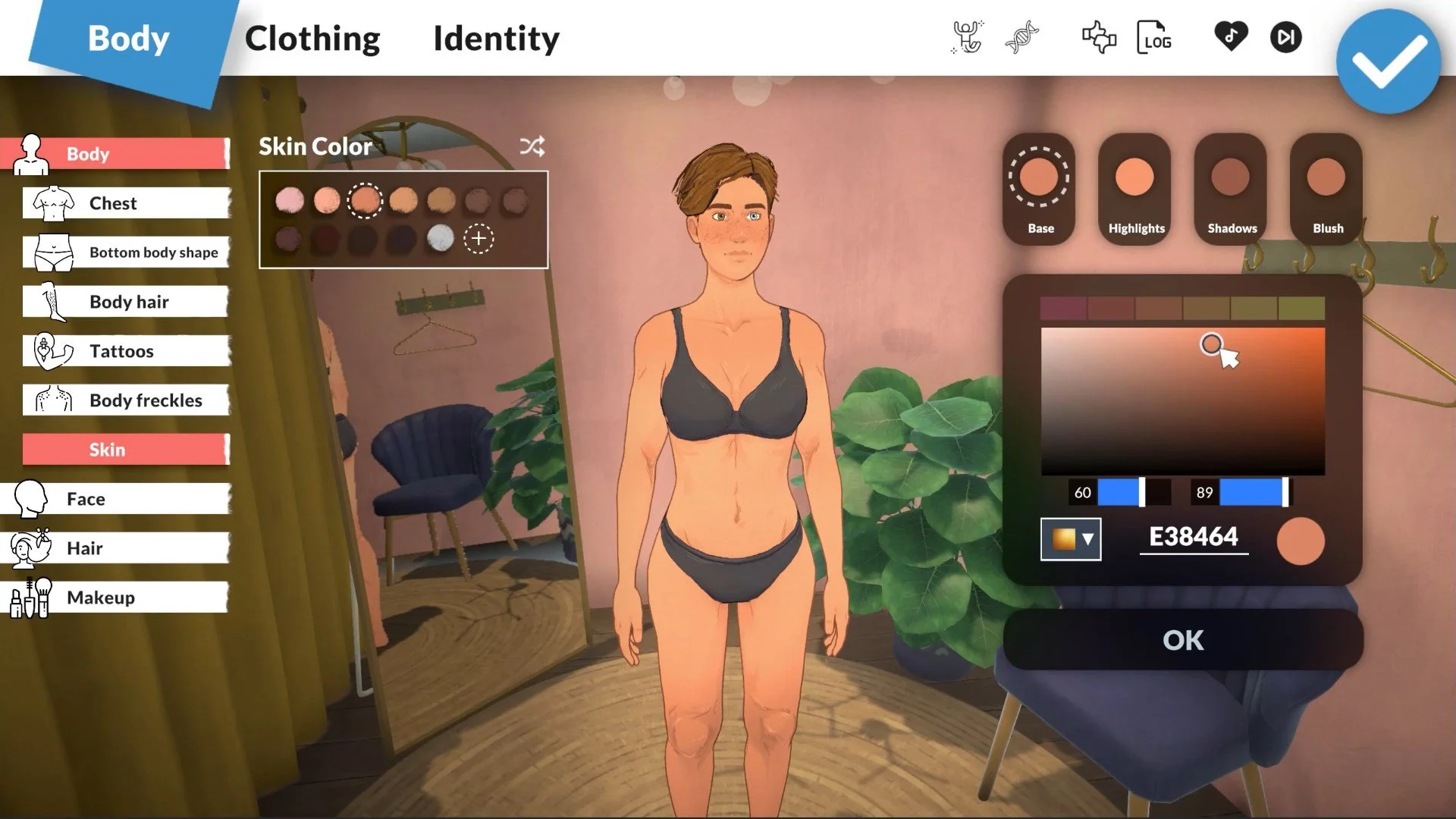
From the main menu, select "New Game" to begin. You'll be taken to the Paramaker (PAM), where you create your first Parafolk. Customize their appearance, personality, and identity using the full suite of sliders, color wheels, and personality options. For a detailed walkthrough of the Paramaker, check our complete Paramaker guide.
Step 2: Add Additional Members
After creating your first Parafolk, you can add more members to the household. Click the "+" button in the household panel to open a new Paramaker slot. Each additional member can be created from scratch or you can use the genetics system to create relatives — children, siblings, or parents of existing members. This ensures your family looks genetically consistent.
Step 3: Choose Relationships
Once all members are created, you'll define the relationships between them. Paralives lets you set:
- Family ties — Parent/child, siblings, grandparent/grandchild
- Romantic status — Married, dating, or single
- Roommate status — For non-family members sharing a home
These starting relationships affect initial relationship scores and determine which interactions are available from day one.
Step 4: Move Into a Home
After finalizing your household, you'll be taken to the town map to choose a lot. You can either:
- Move into an empty lot and build a home from scratch using Build Mode
- Move into a pre-built home from the game's library of starter houses
- Move into a downloaded home from the Steam Workshop
Your starting funds depend on the number of adult household members. Each working-age Parafolk contributes a base amount to the household's initial bank account.
Tip: Don't spend all your starting funds on the house! You'll need money for furniture, bills, and daily expenses. A good rule of thumb is to keep at least 20% of your starting funds as a buffer for the first week of gameplay.
`n`nSwitching Between Households
One of Paralives' most powerful features is the ability to play multiple households in the same town. This means you can tell interconnected stories across different families, watch relationships develop between neighbors, and build a truly living community.
How Town Rotation Works
Switching between households is done through the Town Map. When you're in Live Mode, open the map view and click on any household lot — whether it's one you created or one that came with the town. You'll see an option to "Play This Household." When you switch, the game saves your current household's state and loads the new one.
Here's the critical thing to understand: time in Paralives is shared across the entire town. When you play one household for a full in-game day, the other households in town also advance by one day. What happens to them during that time depends on your Storyteller settings.
Storyteller Settings for Inactive Households
The Storyteller is Paralives' system for controlling what happens to households you're not actively playing. You can configure it globally or per-household. The key settings are:
| Setting | What It Does | Best For |
|---|---|---|
| Full Autonomy | Inactive households progress naturally — they get jobs, form relationships, have children, and age up on their own. | Players who want a living, breathing town that evolves without their input |
| Limited Autonomy | Inactive households maintain their jobs and age, but won't make major life changes (marriage, children, moving) without your input. | Players who want some background activity but control over major events |
| No Autonomy | Inactive households are frozen in time. Nothing changes until you play them. | Players who want complete control over every household's story |
Important: With Full Autonomy, inactive households can undergo dramatic changes. A couple might break up, a Parafolk might lose their job, or a family might move out of town entirely. If you're attached to a specific story direction, use Limited or No Autonomy for that household.
Recommended Rotation Strategy
For the best multi-household experience, try a rotational playstyle:
- Set a rotation schedule — Play each household for the same amount of in-game time (e.g., one season per household).
- Use Limited Autonomy — This keeps the town active while preventing unwanted major changes.
- Check relationship panels — Before switching away, review your current household's relationships to see if any cross-household connections need attention.
- Keep notes — Track storylines across households mentally or with the in-game household description field.
Moving Parafolks Between Houses
Whether your Parafolk got a new job across town, outgrew their starter home, or simply wants a change of scenery, Paralives makes it straightforward to relocate individuals or entire households.
The Relocation Process
To move a Parafolk or household to a new home:
- Open the Town Map from Live Mode or the pause menu.
- Select your current household lot and choose "Move Household" (to move everyone) or click on an individual Parafolk's portrait and choose "Move Out."
- Browse available lots on the map. Empty lots and occupied lots (if there's room in the household) will be shown.
- Select the destination and confirm the move.
The game will automatically pack your furniture and belongings. When you arrive at the new lot, you can choose to place your existing furniture or sell it and start fresh.
Keeping or Selling Your Old Home
When moving, you have two options for your current property:
- Sell the home — The lot and all its contents are sold at market value. The proceeds are added to your household funds. This is the simplest option and gives you the most money for your new place.
- Keep the home — The lot remains in your household's ownership. You can move back later, rent it out to other Parafolks (if you have the rental property feature enabled), or use it as a second home. However, you'll still need to pay property taxes and maintenance on it.
Tip: Keeping your old home is a great strategy for building a rental income stream. If you have a Parafolk with the Entrepreneur lifestyle, managing rental properties can become a significant source of passive income for your household.
Moving Into an Existing Household
If you want to move a Parafolk into another household's home (for example, a partner moving in after marriage), the process is slightly different:
- Have the two Parafolks interact in Live Mode.
- Select the "Ask to Move In" social interaction (available once the relationship is high enough).
- The moving Parafolk leaves their current household and joins the target household.
- Their personal funds are transferred to the new household's shared account.
Note that the target household must have room — if it's already at the 8-member cap, the move-in option won't appear.
Splitting a Household
Household splitting occurs when one or more Parafolks leave an existing household to form a new one. This is one of the most story-rich mechanics in Paralives, as it often represents major life transitions.
When Parafolks Move Out
There are several common scenarios that lead to household splits:
- Young adults leaving home — The classic coming-of-age moment when a young Parafolk strikes out on their own.
- Relationship breakdowns — When a couple separates, one partner may move out.
- Roommate splits — Friends who lived together decide to go their separate ways.
- Player-initiated moves — You simply decide to reorganize your town's households.
How to Split a Household
To split a household:
- Open the household management panel from the Town Map or the in-game menu.
- Select "Split Household."
- Choose which Parafolks will form the new household. You can drag and drop portraits between the "Remaining" and "Moving Out" columns.
- Allocate funds — Decide how to split the household's money between the two groups. You can do a 50/50 split, proportional split, or custom amounts.
- Choose a new home for the departing members from the town map.
- Confirm the split.
Young Adults Leaving Home
When a young adult Parafolk is ready to leave the family home, the process has some special considerations:
- Starter funds — The departing Parafolk receives a portion of the household funds. The amount can be adjusted, but there's a minimum to ensure they can afford basic housing.
- Relationship preservation — Family relationships are maintained after the split. The Parafolk is still listed as a child/sibling of their family members, and their relationship scores don't reset.
- Emotional impact — Leaving home can trigger emotional responses in both the departing Parafolk and the family left behind. A Parafolk with strong family bonds may feel sad, while one with the Independent lifestyle might feel excited.
Splitting & Relationships
After a household split, family members retain their relationship ties. They can still visit each other, call, and invite one another to events. The only thing that changes is their living arrangement and shared finances. Think of it as moving out — not moving on.
`n`nMerging Households
Merging is the opposite of splitting — two separate households combine into one. This typically happens through major life events like marriage or deciding to become roommates.
Marriage & Moving In Together
The most common reason for merging households is marriage. When two Parafolks get married, they have the option to move in together:
- After the wedding ceremony (or elopement), a prompt appears asking where the couple will live.
- You can choose: the first partner's home, the second partner's home, or a completely new lot.
- If you choose one partner's existing home, the other partner's household will lose a member. If that was the only member, the household is dissolved and their home becomes available on the market.
- The merged household's funds are combined from both original households.
If the receiving household is already at the 8-member cap, you'll need to make room before the merge can happen.
Roommate Arrangements
Not every household merge needs to be romantic. Paralives supports roommate households where unrelated Parafolks share a home for financial or social reasons:
- Ask to Move In — A social interaction available between friends with high enough relationship scores.
- Roommate wanted — You can place a "Roommate Wanted" listing on the in-game bulletin board. Other Parafolks (including NPCs) may respond.
- College-style living — Multiple young adults pooling resources to afford a nicer home than any could manage alone.
Roommate households have the same shared finances as family households, so choose your roommates wisely — their spending habits affect everyone's bottom line.
Tip: Roommate households are excellent for storytelling. Imagine the drama when a neat freak lives with a slob, or when two roommates develop romantic feelings for each other over time. Use Lifestyles and Social Perks to create interesting personality clashes within shared households.
What Happens to the Old Household
When a Parafolk leaves their household to merge with another, the original household continues with the remaining members. If the departing Parafolk was the last member of their household, that household is dissolved:
- Their home lot becomes available for purchase by other households or new families.
- Their remaining funds are transferred to the Parafolk's new household.
- Their relationships with other town Parafolks are preserved in the new household.
Managing Multiple Stories Simultaneously
Running multiple households isn't just about logistics — it's about weaving interconnected narratives. Paralives gives you several tools to manage overlapping storylines across your town.
Storyteller Autonomy for Inactive Households
As mentioned in the Switching section, the Storyteller system controls what happens when you're not playing a household. But let's dive deeper into how to use it for storytelling:
- Full Autonomy for background families — Set NPC or secondary households to Full Autonomy so they evolve naturally. This creates organic story hooks: a neighbor might get pregnant, change careers, or start a feud with another family — all without your direct input.
- Limited Autonomy for important households — Keep your main story households on Limited Autonomy so they age and work but don't make dramatic changes without you.
- No Autonomy for critical story moments — If a household is at a pivotal point in their story (a pregnancy, a career change, a budding romance), freeze them with No Autonomy until you're ready to play through that moment yourself.
Cross-Household Events
Paralives supports events that involve multiple households simultaneously:
- Parties and gatherings — Invite Parafolks from other households to birthday parties, housewarmings, or holiday celebrations.
- Community events — Seasonal festivals and town events bring multiple households together automatically.
- Relationship milestones — Weddings, funerals, and other major life events can include guests from across town.
These events are where multi-household management truly shines. The relationships you've built across households come to life as Parafolks interact organically during gatherings.
Tracking Story Progression
To keep track of what's happening across your town, use these in-game tools:
- Household description — Each household has a text field where you can write notes about their current storyline.
- Relationship panel — Check cross-household relationships to see how your town's social web is developing.
- Notification feed — The game logs major events for all households, even inactive ones (with Full or Limited Autonomy).
- Town map overview — Hover over any lot to see a quick summary of who lives there and their current status.
Town-Wide Story Management
Beyond individual households, Paralives encourages you to think about your town as a whole. The relationships and events that span across households create the rich tapestry that makes the game so compelling.
Keeping Track of Relationships Across Households
Every Parafolk in your town has a relationship with every other Parafolk they've met. These relationships persist regardless of which household each Parafolk belongs to. Here's how to manage this complex web:
- The Relationship Map — Accessible from the town view, this shows all known relationships between Parafolks across all households. It's a visual web that helps you see connections at a glance.
- Household relationship scores — Each household has an aggregate "reputation" with other households based on the combined relationship scores of their members.
- Neighborhood dynamics — Households that live near each other are more likely to develop relationships organically, even without your direct intervention.
Generational Storytelling
One of the most rewarding aspects of multi-household play is watching stories unfold across generations:
- Childhood friends — Two Parafolks who met as children in different households can grow up, fall in love, and merge households through marriage.
- Family rivalries — A slight between two households can persist for generations, with children inheriting their parents' attitudes.
- Business dynasties — A successful Parafolk can pass their career achievements and wealth to their children, creating a powerful family across multiple households.
Storytelling Framework
Think of your town as a TV show with an ensemble cast. Each household is a "storyline," and the town is the "season." Rotating between households is like cutting between scenes. The best stories emerge when events in one household ripple outward and affect the others.
Town Population Management
As your town grows, you'll need to manage its population:
- New households — The game can generate new NPC households to fill empty lots, or you can create them yourself.
- Town capacity — There's a soft cap on the total number of Parafolks in town for performance reasons. If you hit this cap, new households won't be generated until space opens up.
- Aging and death — Elders will eventually pass away, opening up household slots and lots for new families. This natural cycle keeps your town fresh.
Household Finances
Money management is a crucial part of running a successful household — and it becomes even more important when you're juggling multiple families. Understanding how finances work in Paralives will help you make smart decisions about splitting, merging, and relocating.
Shared vs. Individual Money
In Paralives, household finances are shared by default. Every Parafolk in the household contributes their earnings to the same pool and draws from it for expenses. There is no individual bank account system in the base game — what's theirs is everyone's.
This means:
- Income — All career earnings, side hustle profits, and collected item sales go into the shared fund.
- Expenses — Bills, groceries, and purchases come out of the same fund, regardless of who initiated the purchase.
- Splitting funds — When a household splits, you decide how to divide the shared funds between the two new households.
Bills and Expenses
Every household receives regular bills based on their lifestyle:
| Expense Type | Frequency | Based On |
|---|---|---|
| Property Tax | Weekly | Lot value and home size |
| Utilities | Weekly | Electricity and water usage |
| Groceries | As needed | Number of household members and their appetites |
| Rent (if renting) | Weekly | Property rental rate set by owner |
Bills arrive in the mailbox and must be paid within a grace period. Late payments result in service interruptions (no electricity, no water) and a negative moodlet for all household members.
Rent and Rental Properties
If your Parafolk doesn't own their home, they'll pay rent to the property owner. Conversely, if your household owns multiple properties, you can rent them out to other Parafolks for passive income. Rental income is a great way for wealthy households to support themselves without working traditional jobs.
Financial tip: When splitting a household, give the departing members enough funds to cover at least two weeks of bills at their new home. This prevents financial emergencies that can derail your storyline. For more money-making strategies, see our Ultimate Money Guide.
`n`nTips for Running a Thriving Town
After covering all the mechanics, here are our top strategies for making the most of multi-household play in Paralives:
- Start small, expand gradually. Begin with one or two households and add more as you get comfortable with the management systems. Jumping straight to eight households can be overwhelming.
- Give each household a distinct identity. Use the household description field to define each family's "theme" — the artistic family, the business dynasty, the chaotic roommates, the multigenerational household. This makes switching between them feel purposeful rather than random.
- Create connections early. Have your households meet each other in the first few days. Send them to the same community lot, introduce them at events, or have them become coworkers. Early connections create story opportunities later.
- Use the calendar strategically. Plan cross-household events on the in-game calendar. A weekly neighborhood barbecue or seasonal festival gives you a regular reason to bring everyone together.
- Let the Storyteller surprise you. Set at least some households to Full Autonomy and embrace the unexpected. Some of the best stories come from events you didn't plan — a surprise pregnancy, an unexpected friendship, a career change.
- Rotate on a schedule. Consistency is key. Whether you play each household for one day, one week, or one season, stick to your schedule. This prevents any one household from falling too far behind in the timeline.
- Don't neglect the "boring" households. It's easy to focus on the dramatic families and ignore the stable ones. But stable households provide contrast and grounding — they make the dramatic moments hit harder.
- Use household funds wisely. Before splitting a household, make sure the departing members can afford to live on their own. A broke Parafolk in a new household is stressful, not fun.
- Check the notification feed regularly. Even if you're focused on one household, scan the feed for events happening in other households. You might spot a story hook worth pursuing.
- Embrace imperfection. Not every household needs a grand storyline. Some Parafolks just live quiet, happy lives — and that's a valid story too.
Advanced strategy: Create "rival" households with opposing Lifestyles and place them next to each other. A neat-freak family living beside a chaotic household creates natural tension and hilarious interactions. Use the Relationships Guide to understand how personality conflicts play out over time.